Customize a Chat Plugin
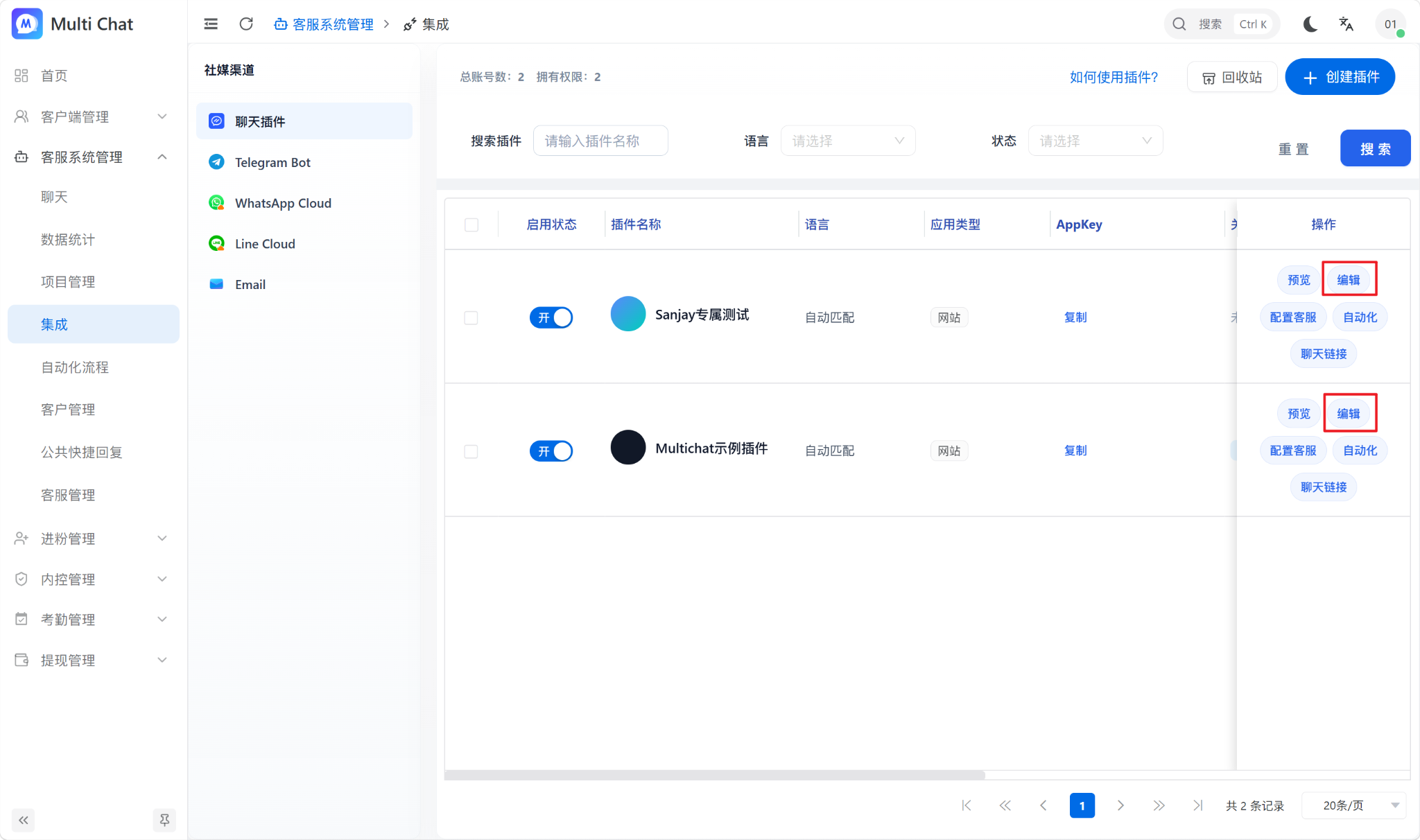
Click Edit in the chat plugin list to customize the visitor experience and information collection.
Basic settings
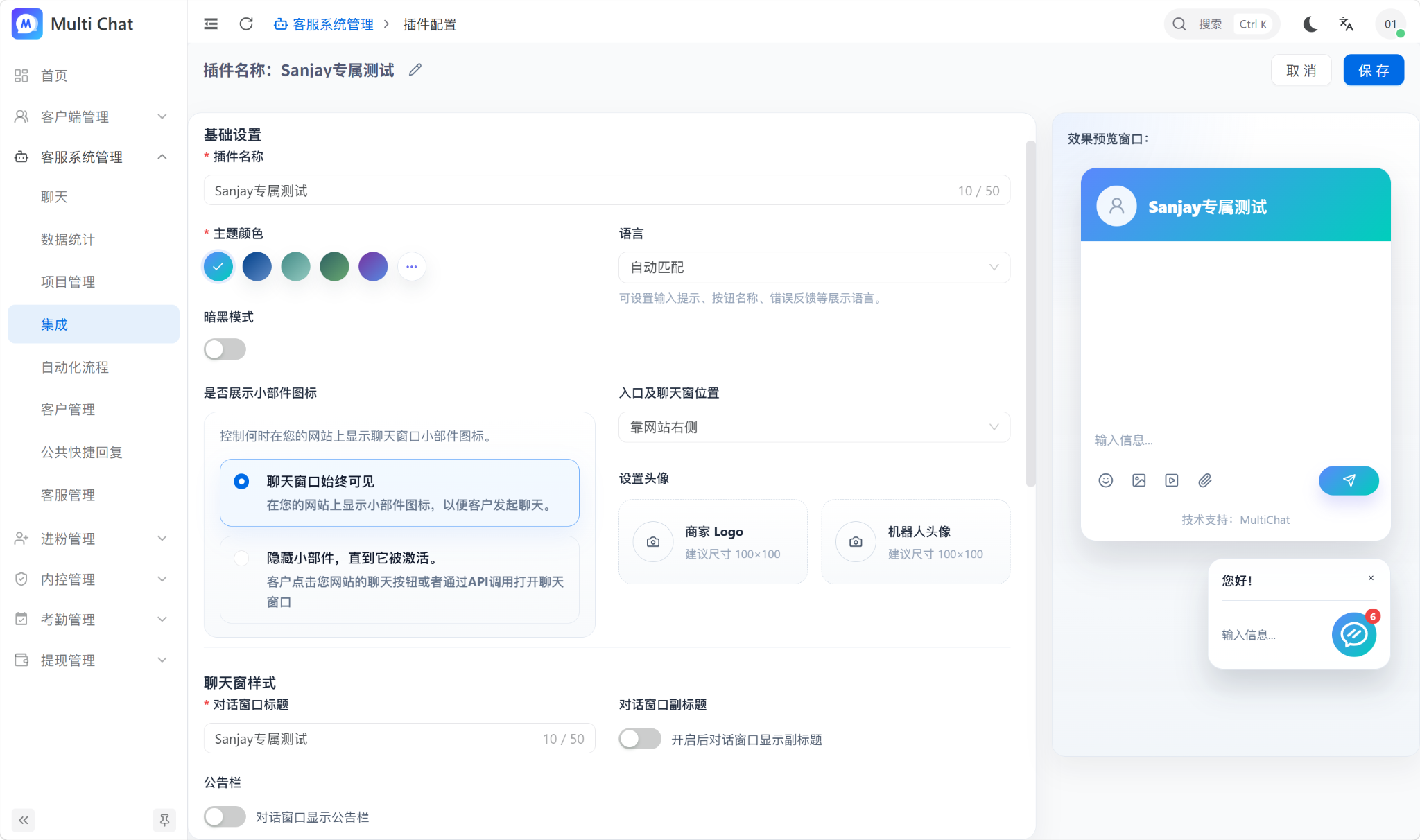
- Window title: The main heading at the top of the chat window.
- Business logo: The brand image shown in the header.
- Bot avatar: The avatar for automation and AI replies.
- Theme color: The primary color of the visitor experience.
- Language: The language displayed in the visitor interface.
Information collection (pre-chat form)
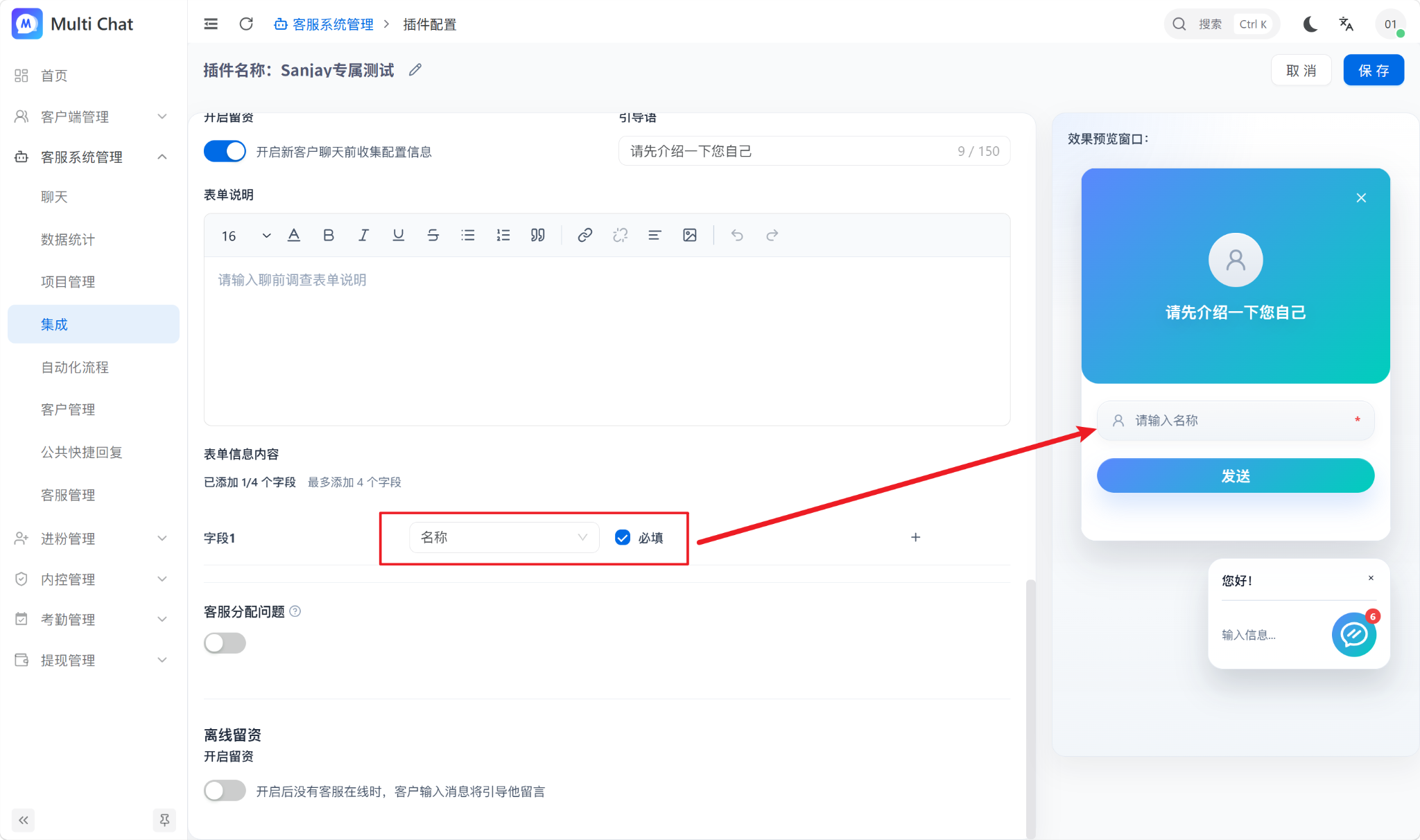
Add fields such as name, phone number, and email to collect necessary information before a conversation starts.
TIP
Ask only for information your team needs. More fields increase the effort required to start a conversation.
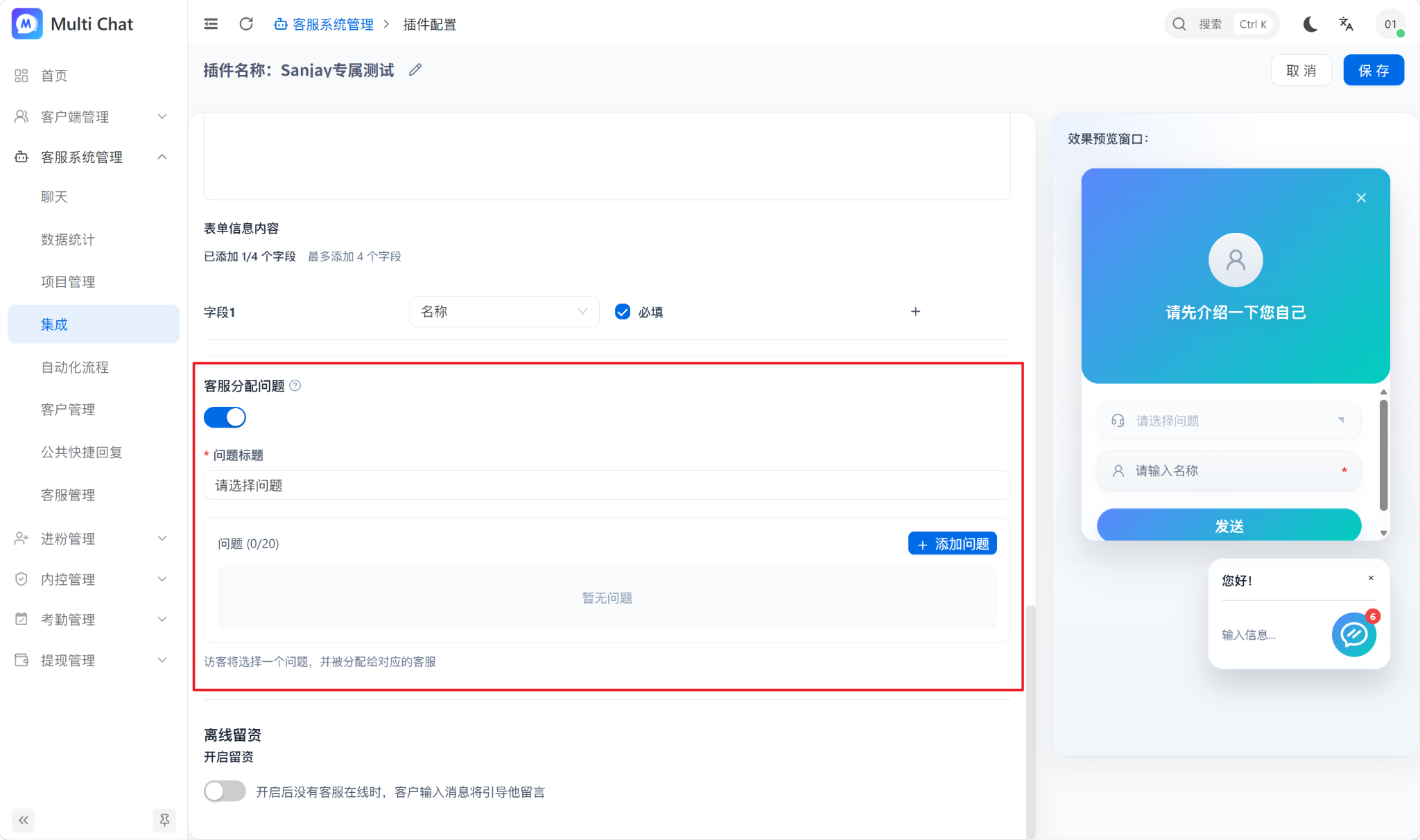
Assignment questions
Assignment questions can route a visitor to a specific agent or team based on the selected issue.
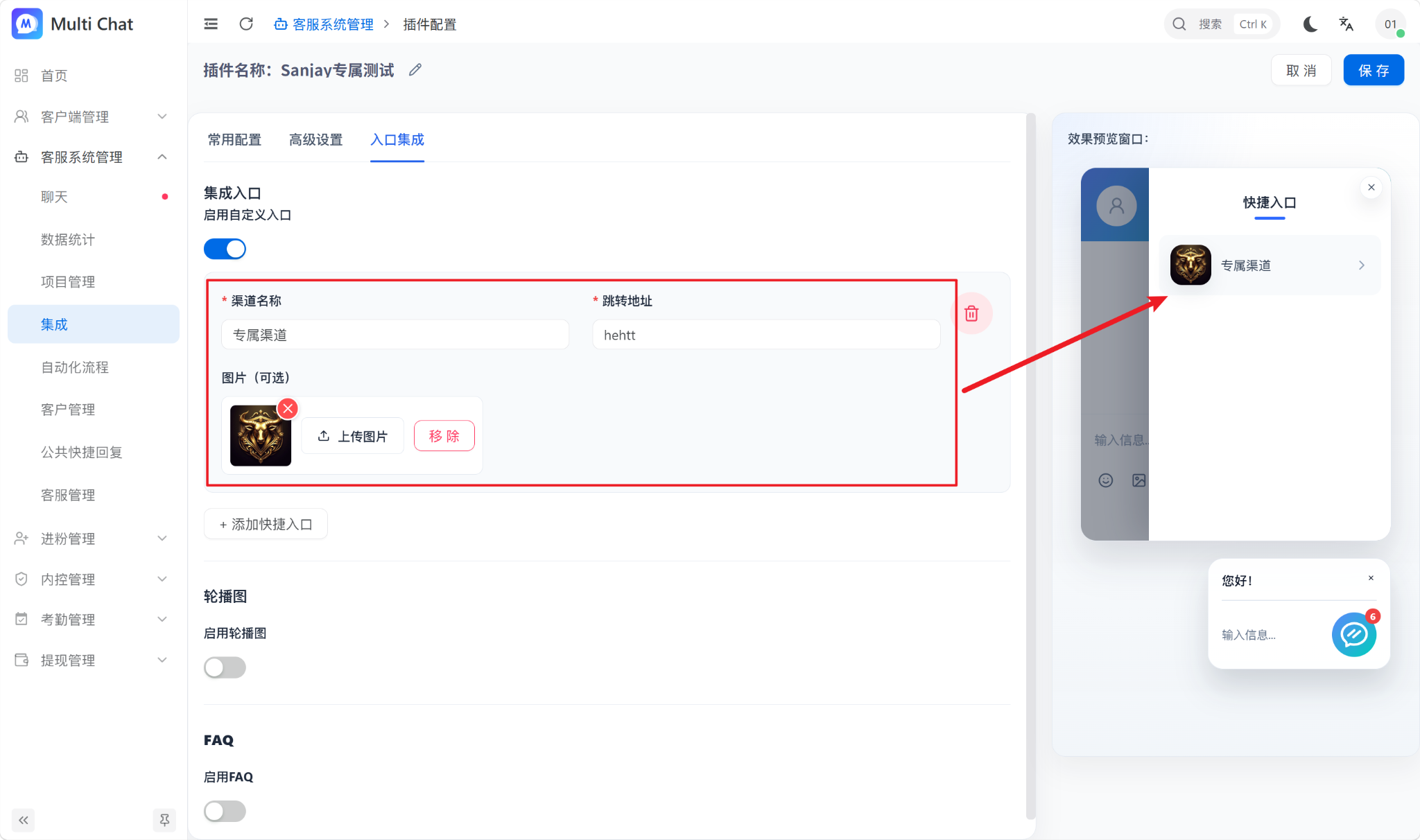
Quick links
Add internal or external shortcuts to the visitor page. Enter the title, icon, and URL, save the plugin, and verify every destination in Preview.