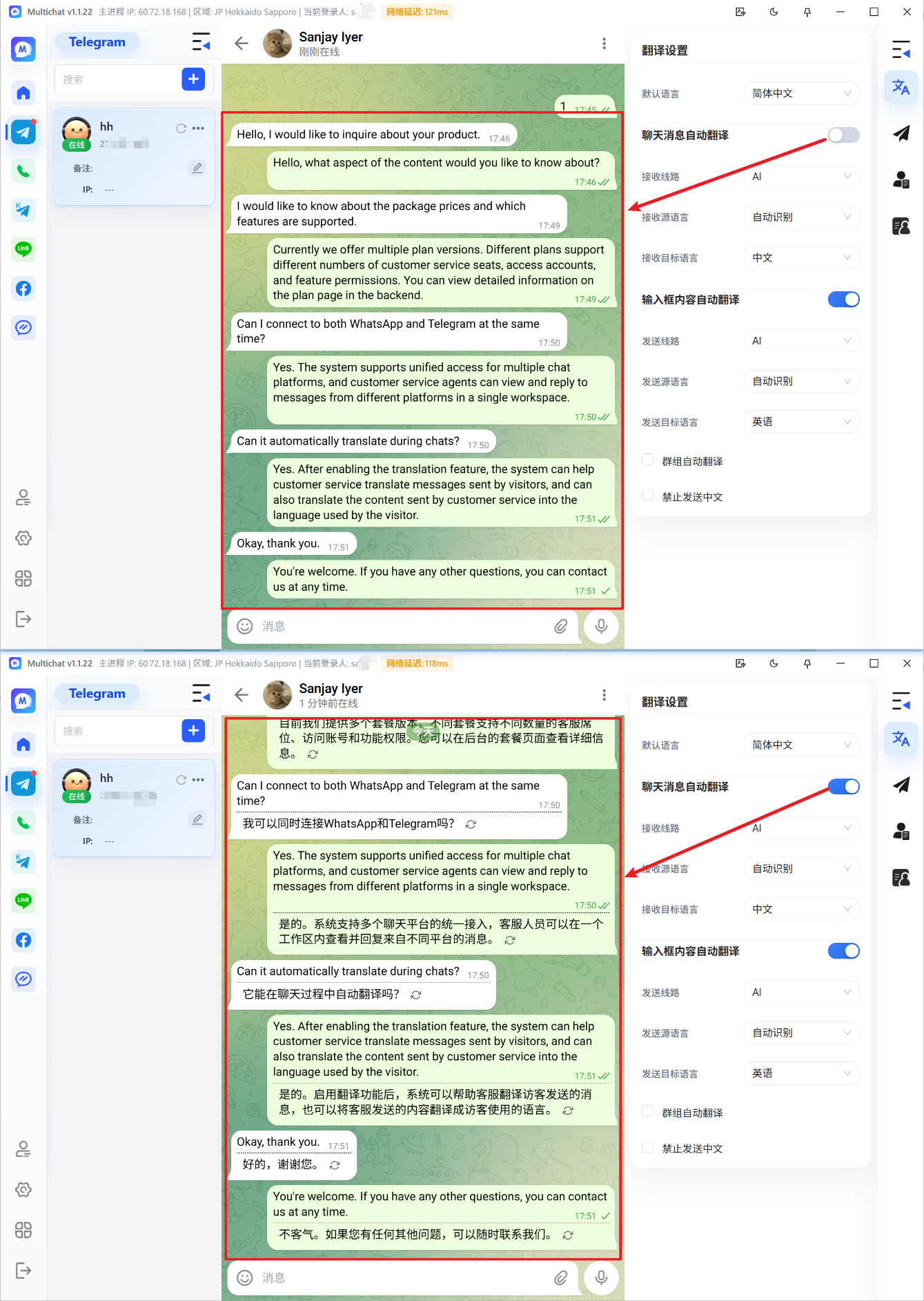
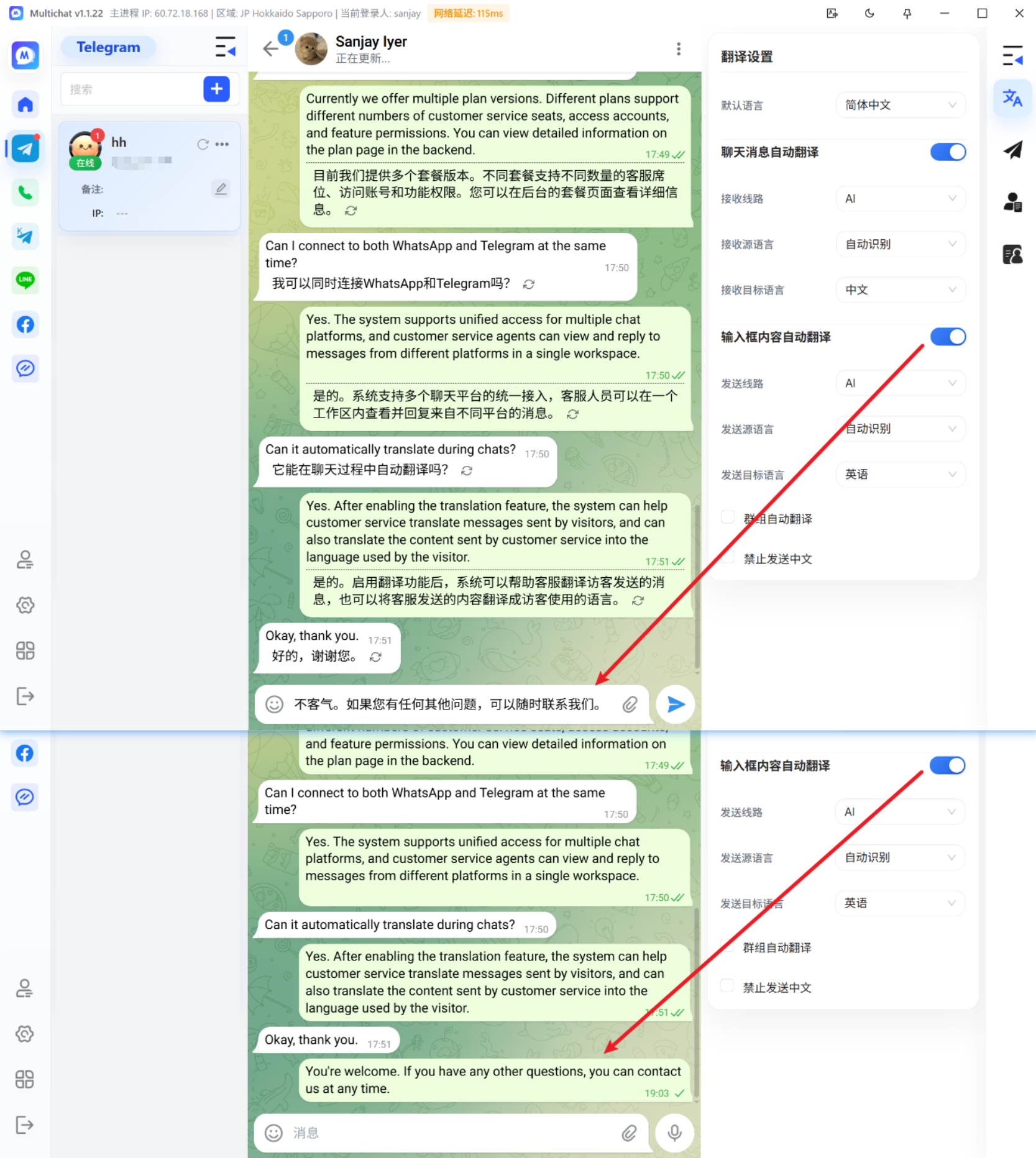
Use Real-Time Translation
Real-time translation helps global teams reduce language switching and respond more efficiently.
How to use translation
- Open a customer conversation.
- Confirm the customer's language.
- Enable translation for the conversation.
- Write your message and review the translated result.
- Confirm the meaning before sending.
Improve translation quality
- Write complete, concise sentences.
- Avoid excessive abbreviations and internal jargon.
- Double-check product names, prices, and dates.
- Manually review messages involving contracts, payments, or commitments.
TIP
Maintain a shared glossary for common business terms so the whole team uses consistent wording.