
Platform Permissions
1. What Are Platform Permissions?
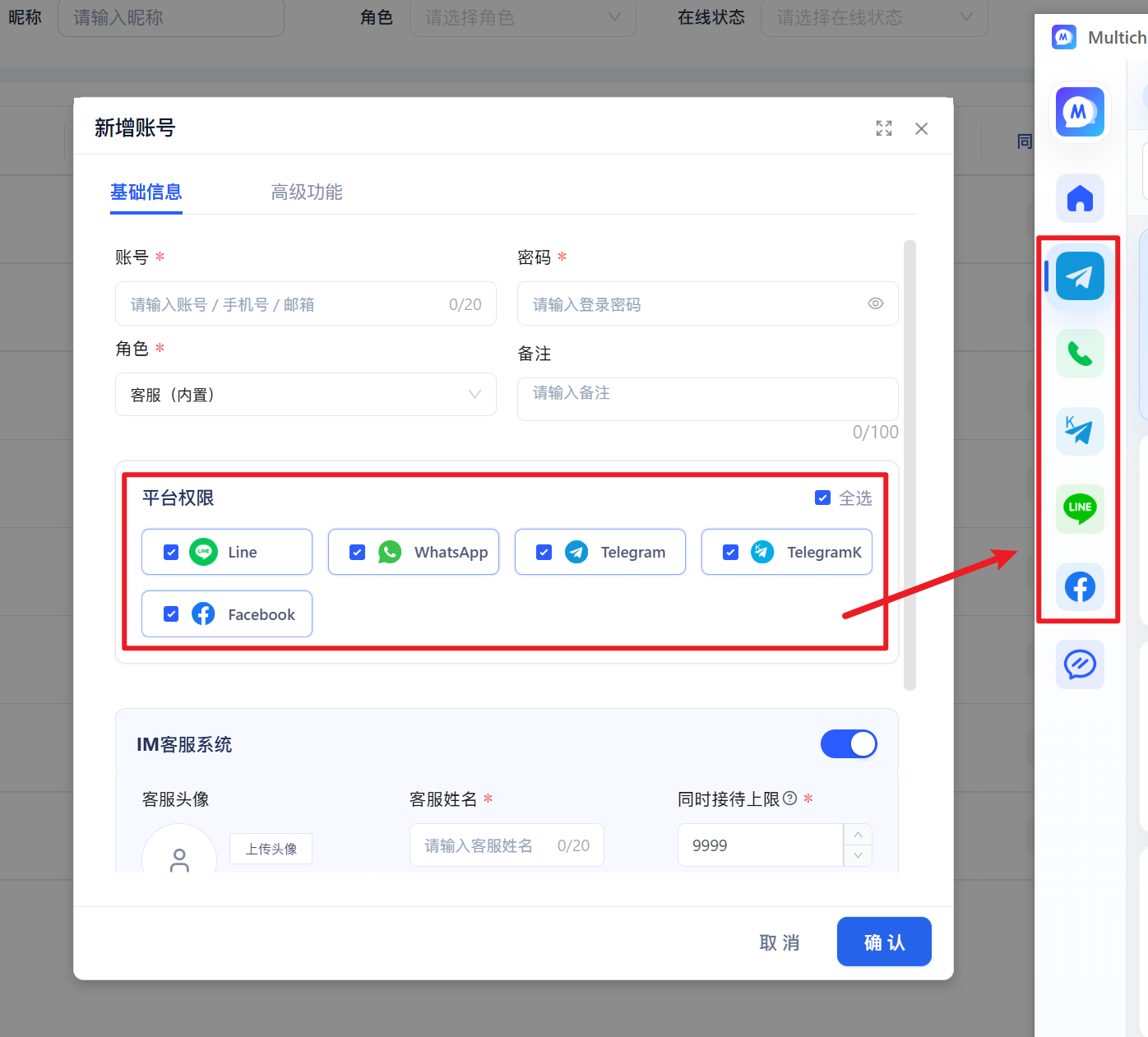
Platform permissions control which unified-translation platforms an agent can use in the MultiChat desktop client.
An administrator can grant access to platforms such as Telegram, WhatsApp, or LINE. After signing in, an agent will only see the platforms assigned to their account.
2. How Do Platform Permissions Differ from IM Customer Service?
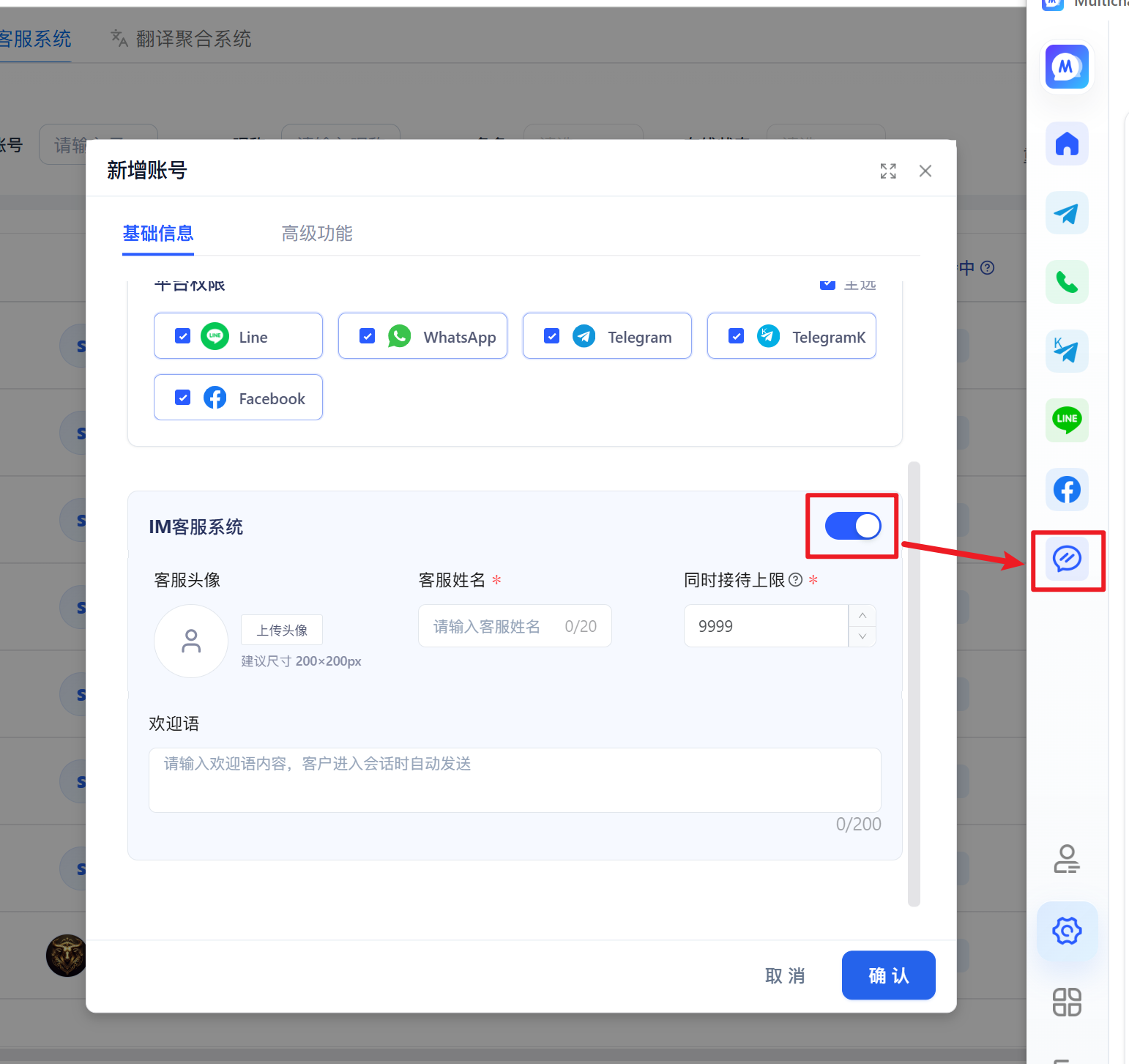
Platform permissions apply to the aggregated social-platform windows in the desktop client. IM permissions control access to customer-service channels, conversations, assignment rules, and other IM features.
These are separate permissions and can be enabled independently based on actual needs.
Platform permissions: Control which Unified Translation platforms, such as Telegram and WhatsApp, the agent can use in the desktop client.
IM Customer Service: Controls whether the agent can enter the IM Customer Service system and handle visitors from chat links, chat widgets, and other connected channels.
Examples
- If an agent only needs to sign in to Telegram, WhatsApp, or other social accounts in the desktop client, select only the corresponding platform permissions.
- If an agent only handles visitors in IM Customer Service, enable only IM Customer Service. No Unified Translation platform permission is required.
- If an agent needs both systems, enable both sets of permissions.
3. Notes
Platform permissions only control whether Unified Translation platforms are visible in the MultiChat desktop client. They do not affect IM channel connections, agent assignment, or conversation-handling rules.
If an agent cannot see a platform after signing in, check whether the account has the corresponding platform permission. After changing permissions, ask the agent to sign in again.