
Bind a Custom Domain
You can use your own domain for the customer-service chat page. The setup requires a simple nameserver change at your domain registrar.
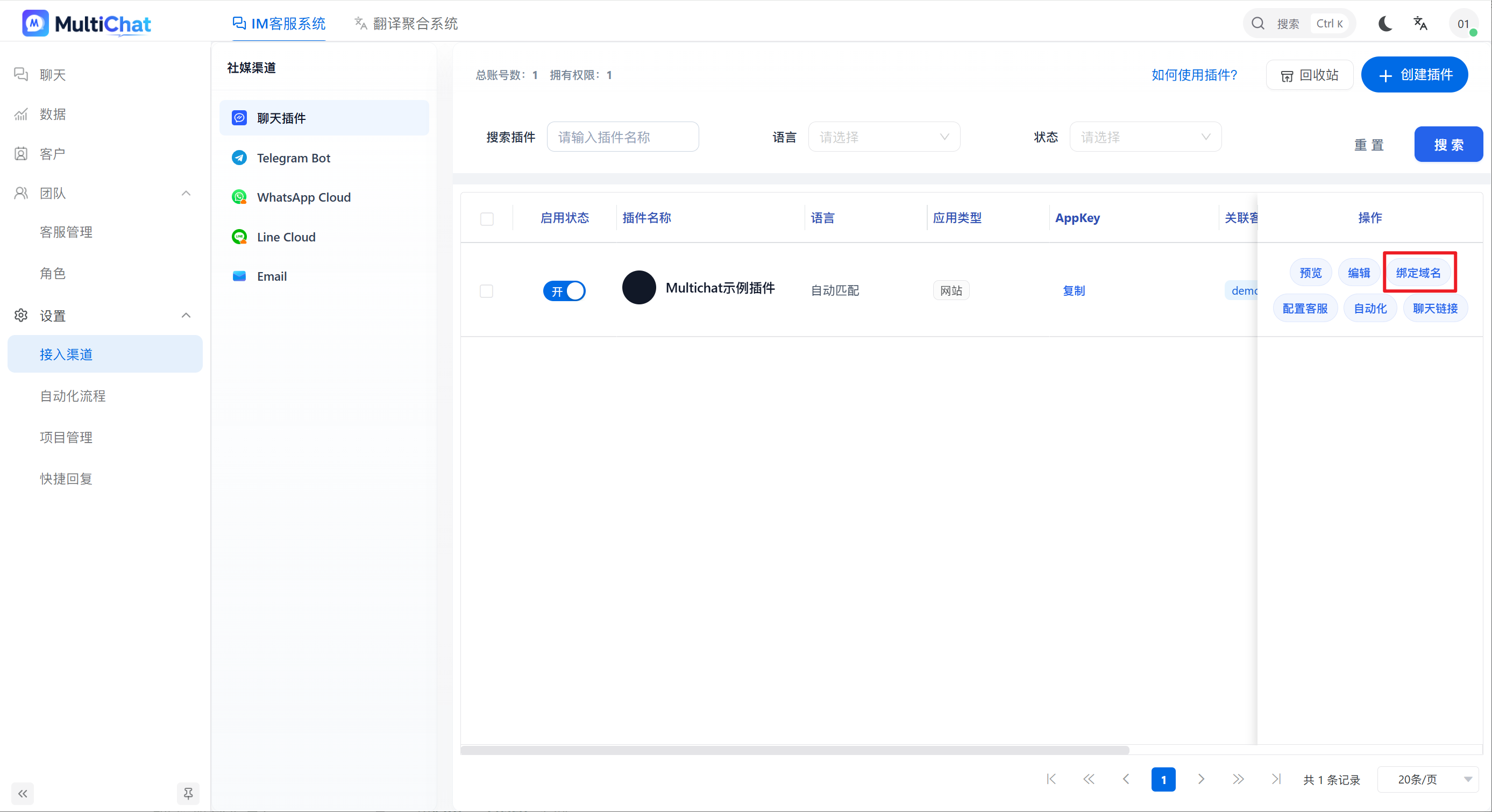
1. Add a custom domain
Open the channel settings and click Bind Domain.
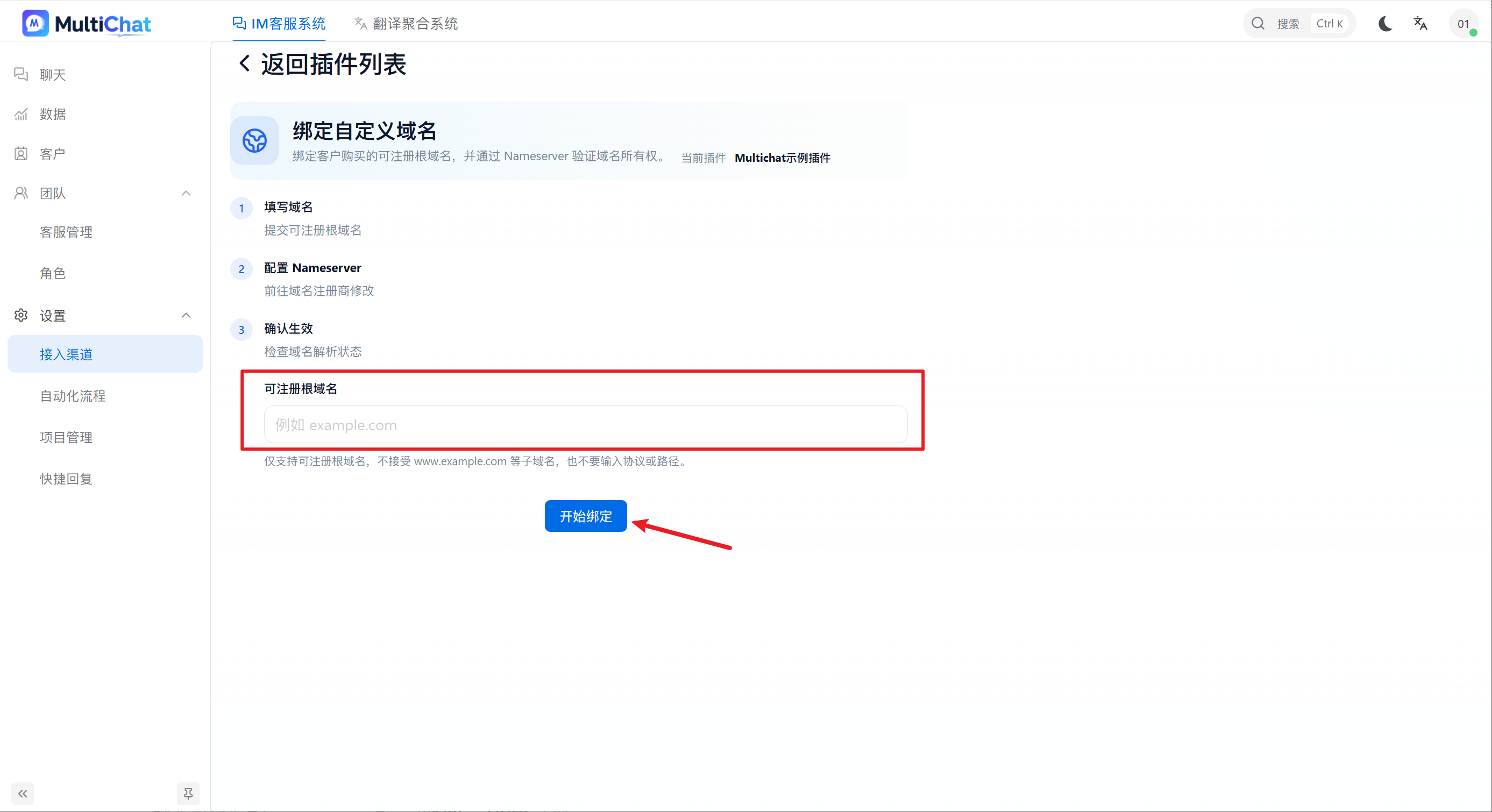
2. Enter the domain
Enter the domain you want to use, then click Start Binding.
MultiChat will provide two nameserver addresses.
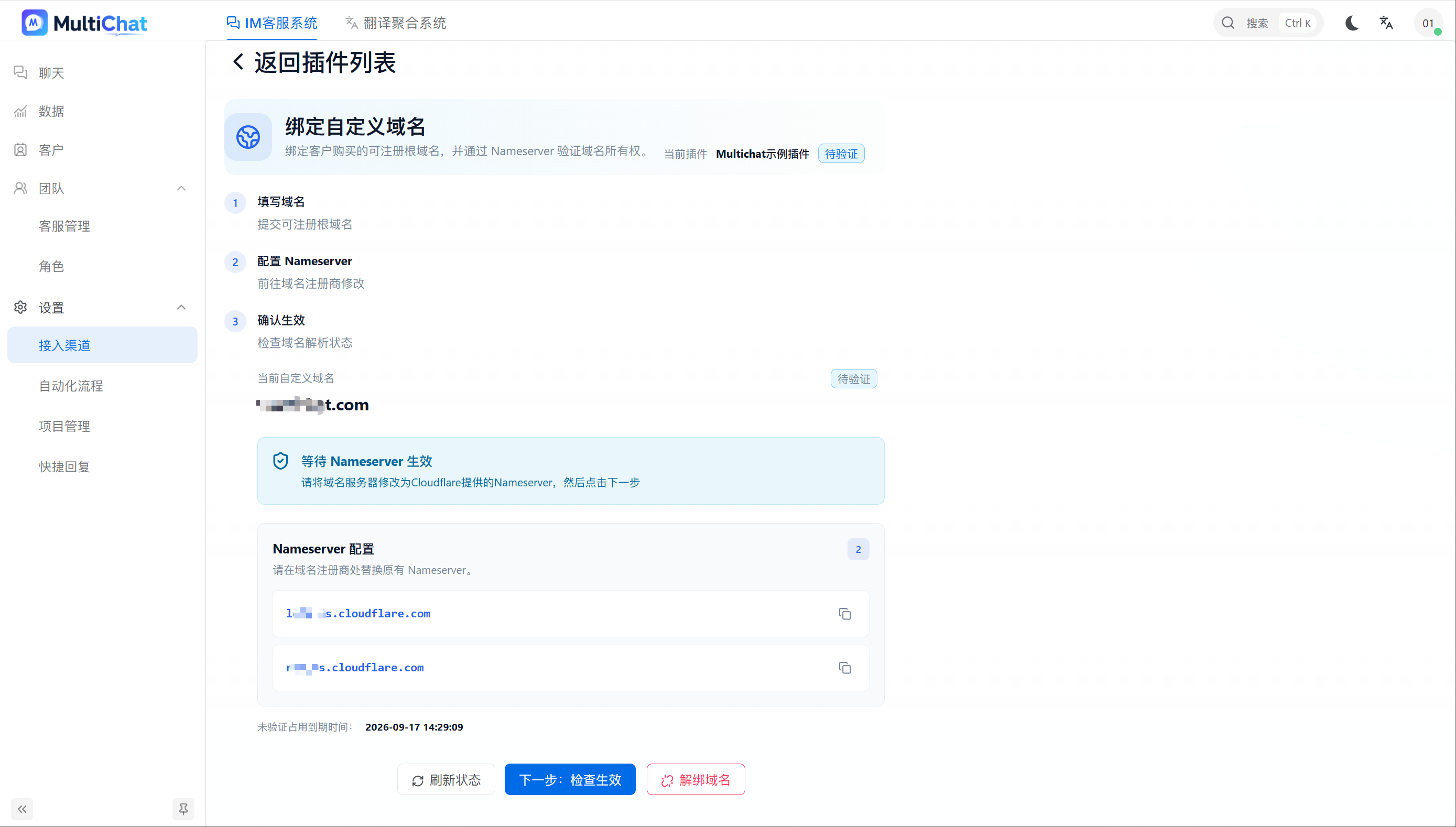
3. Change the nameservers at your registrar
Open the domain-management page at your registrar and replace the existing nameservers with both nameservers provided by MultiChat.
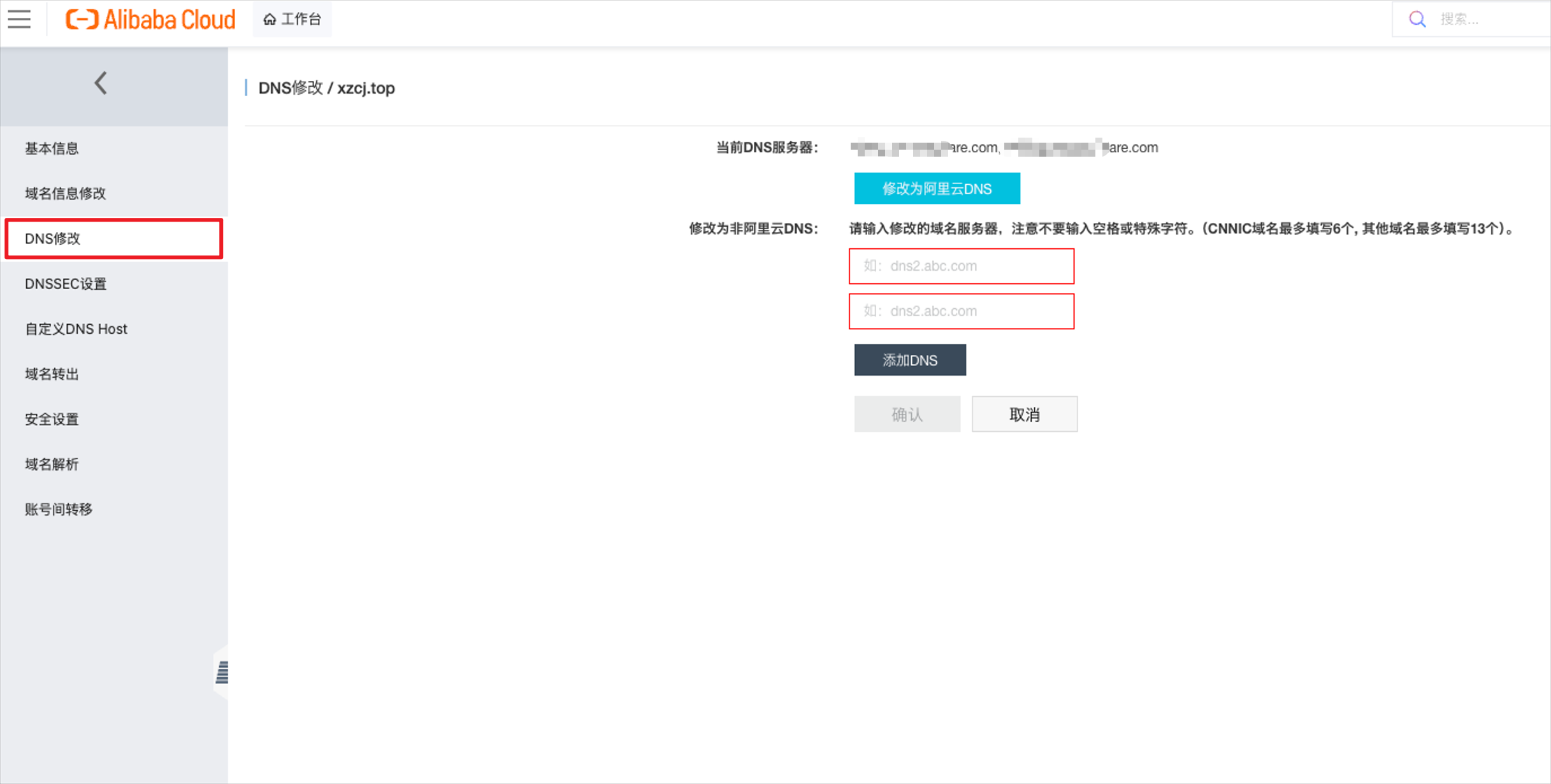
This step changes the domain's nameservers. Do not add them as ordinary DNS records. Both nameservers are required.
4. Wait for DNS propagation
Nameserver updates take time to propagate. A Pending verification status is normal while the change is being processed.
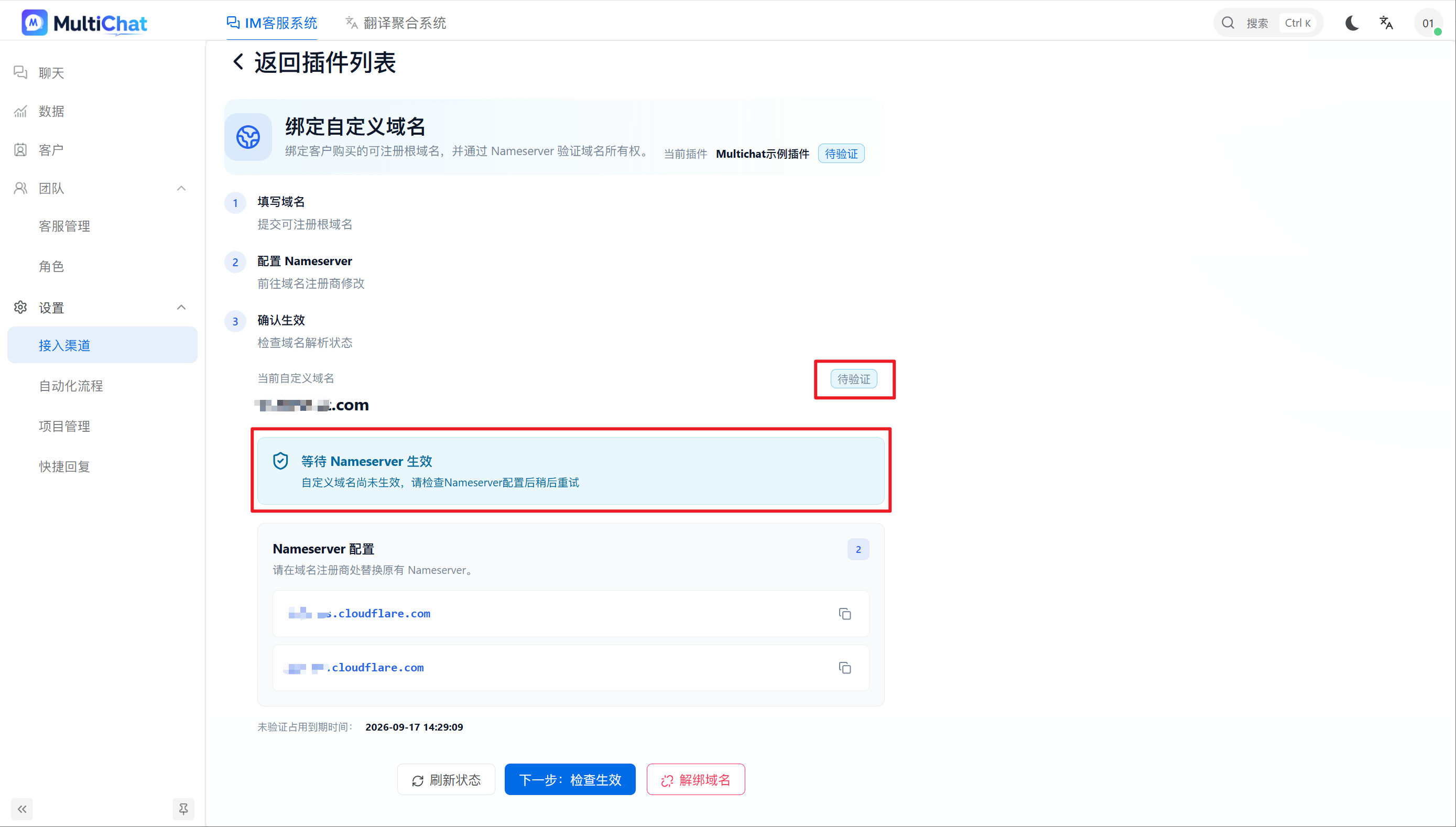
5. Verify the domain
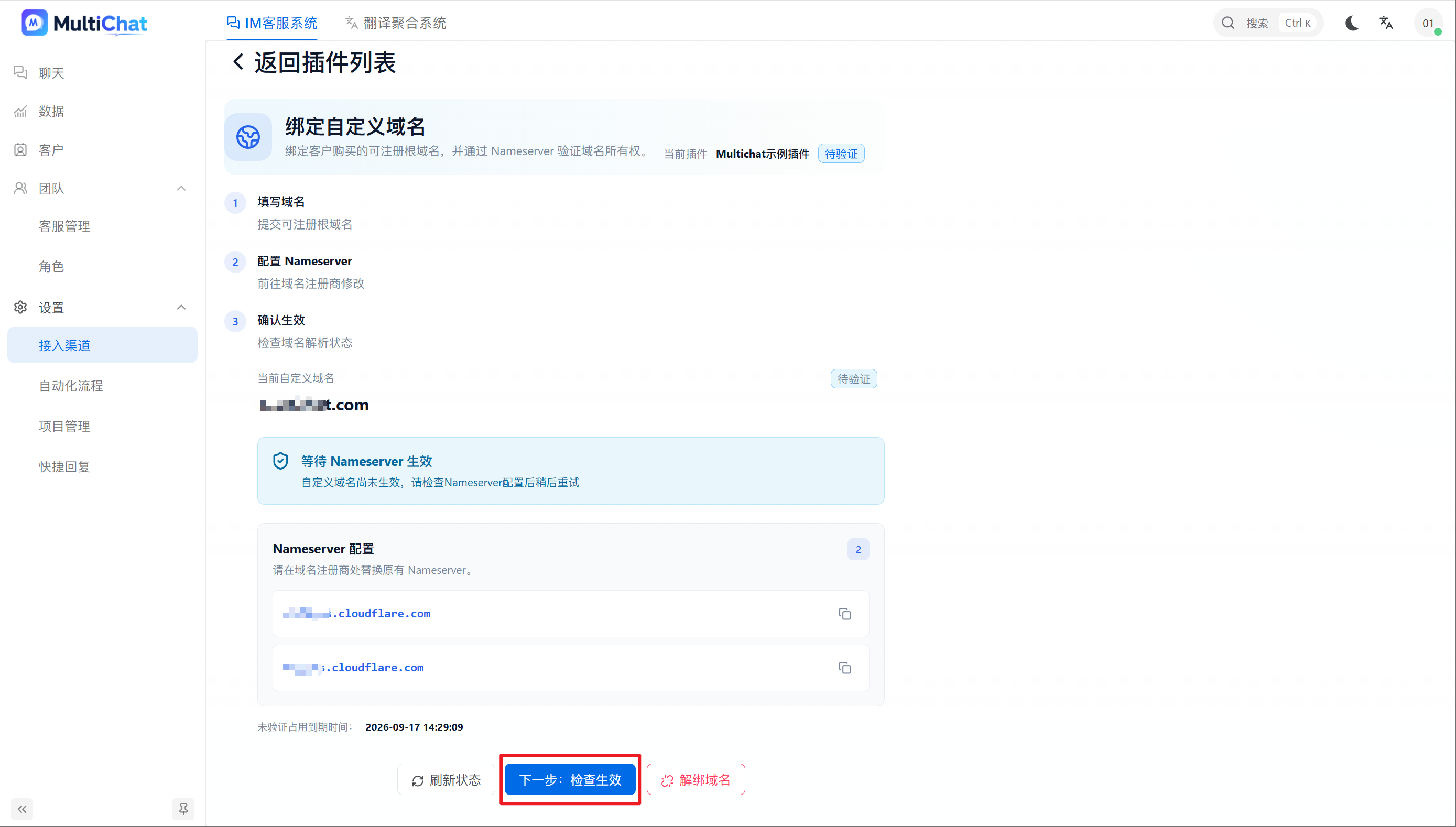
Return to MultiChat and click Next to verify the configuration. If verification fails, confirm that both nameservers are correct and wait for DNS propagation before trying again.
Related registrar guides
- Alibaba Cloud: Change DNS servers
- Tencent Cloud: Modify DNS servers
- GoDaddy: Change nameservers for a domain
- Cloudflare: Change domain nameservers