
Pre-chat Survey Statistics Overview
1. What Is a Pre-chat Survey?
A pre-chat survey lets visitors select the type of issue they want help with before speaking to an agent, such as a top-up issue, withdrawal issue, or account issue.
The system automatically counts how often each issue is selected. This helps administrators understand the main problems customers encounter and identify unusual business trends promptly.
2. What Can a Pre-chat Survey Do?
1. Count issues by type
The system records how often visitors select each issue type, allowing administrators to review volumes and trends.
For example, if only 10 visitors normally report top-up issues each day but the number suddenly rises to 100, an administrator can promptly investigate whether the top-up function has a problem.
2. Assign agents by issue type
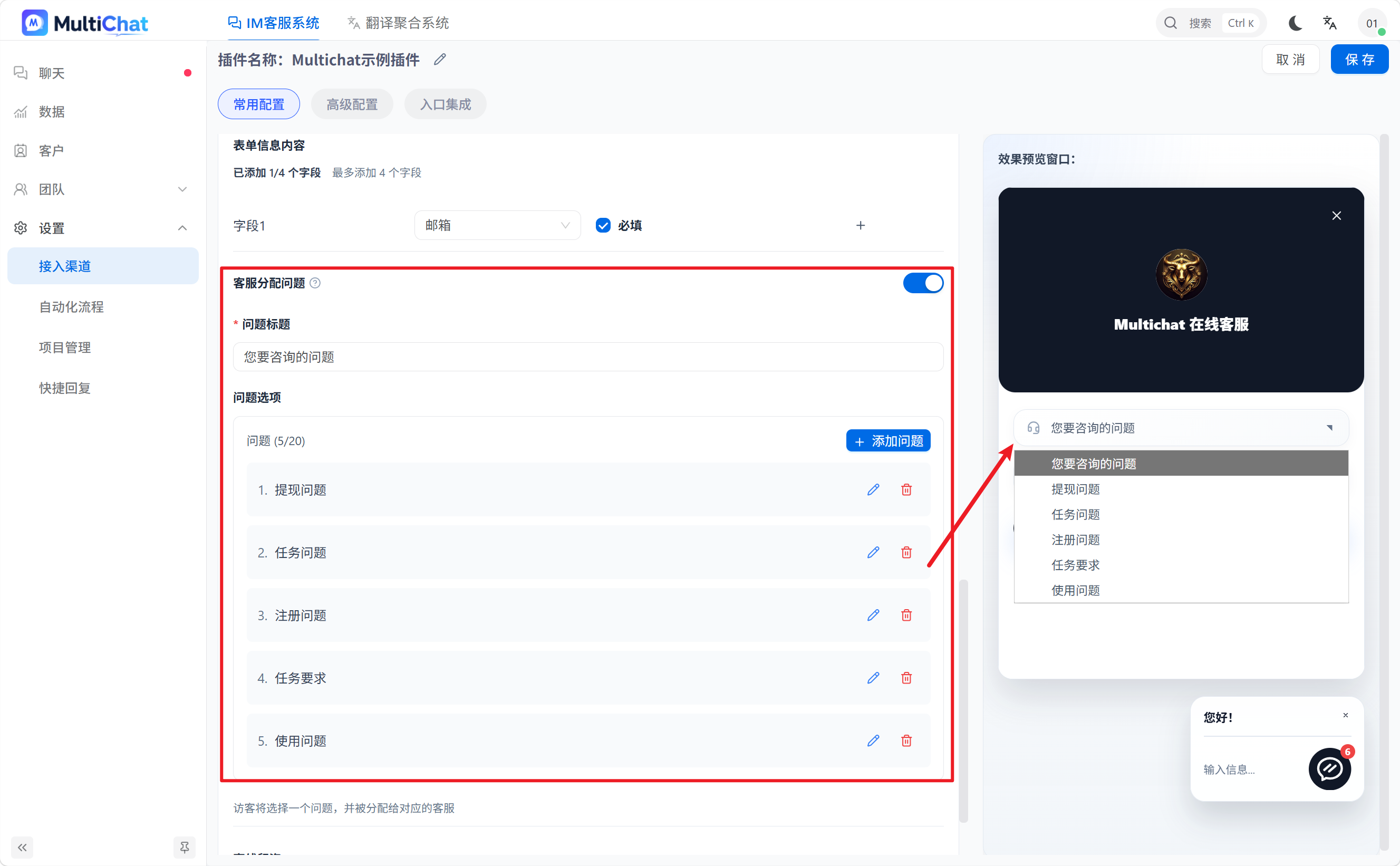
You can bind a specific agent to each issue. After a visitor selects an issue type, the system assigns the conversation to the configured agent.
For example:
- Top-up issue → Top-up agent
- Withdrawal issue → Withdrawal agent
- Account issue → Account agent
This reduces manual transfers and helps visitors reach the appropriate agent faster.
3. How Do I Use a Pre-chat Survey?
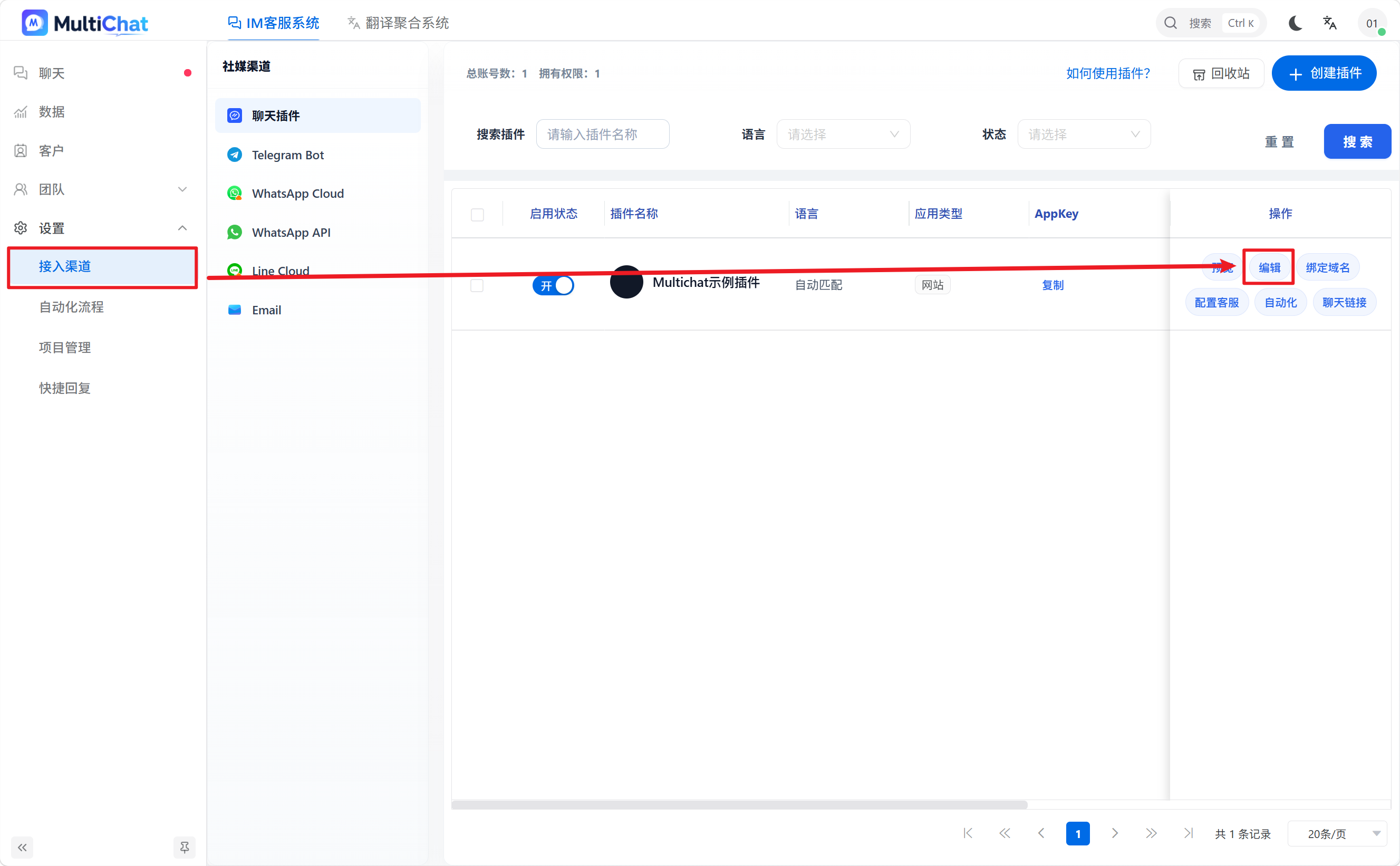
- Open the chat widget editing page under Channels.
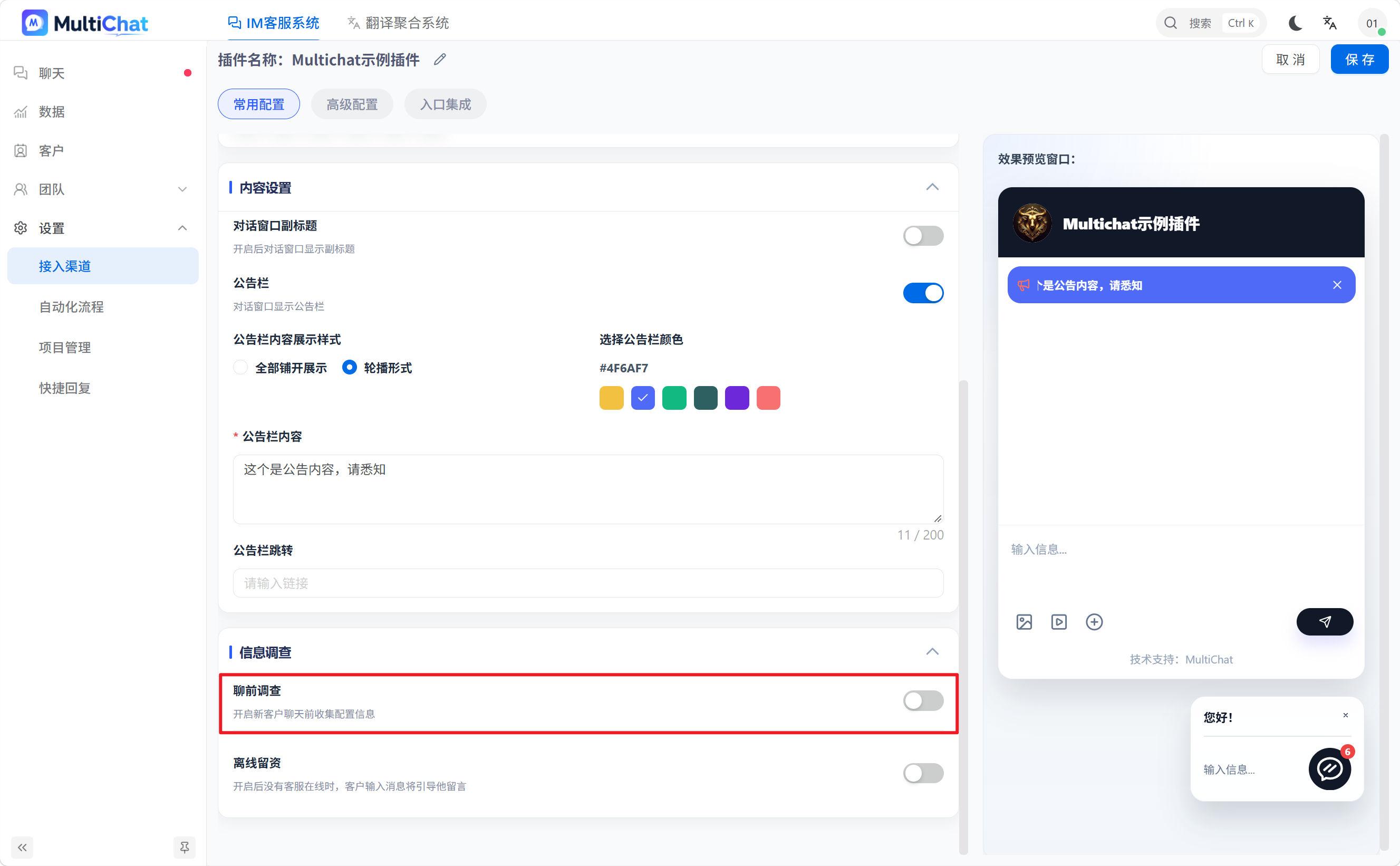
- Scroll down on the editing page and turn on the pre-chat survey switch.
- Scroll down to the agent assignment question and enter the survey content based on your business needs.
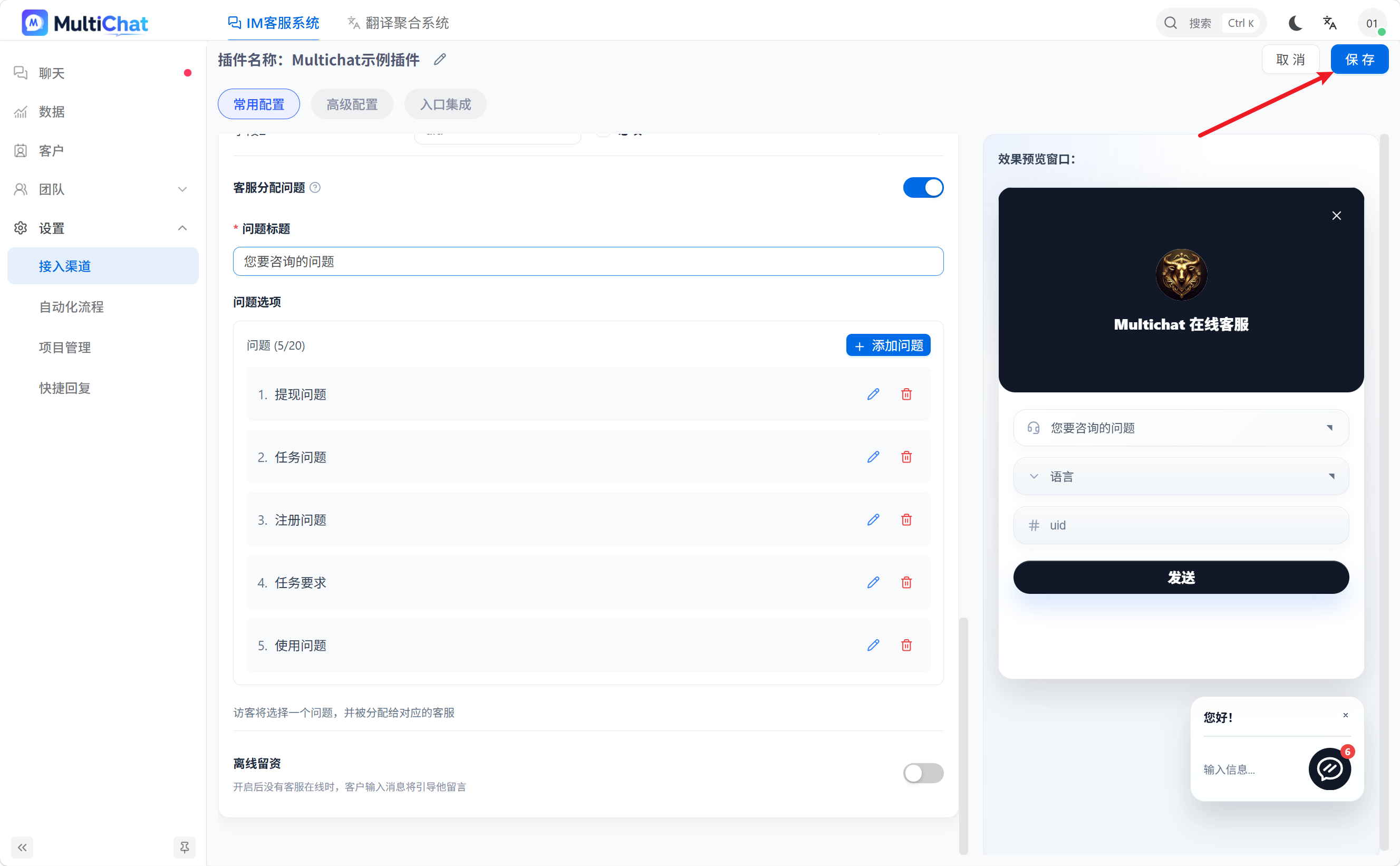
- Click Save in the upper-right corner to enable the configuration.
4. How Do I View the Statistics?
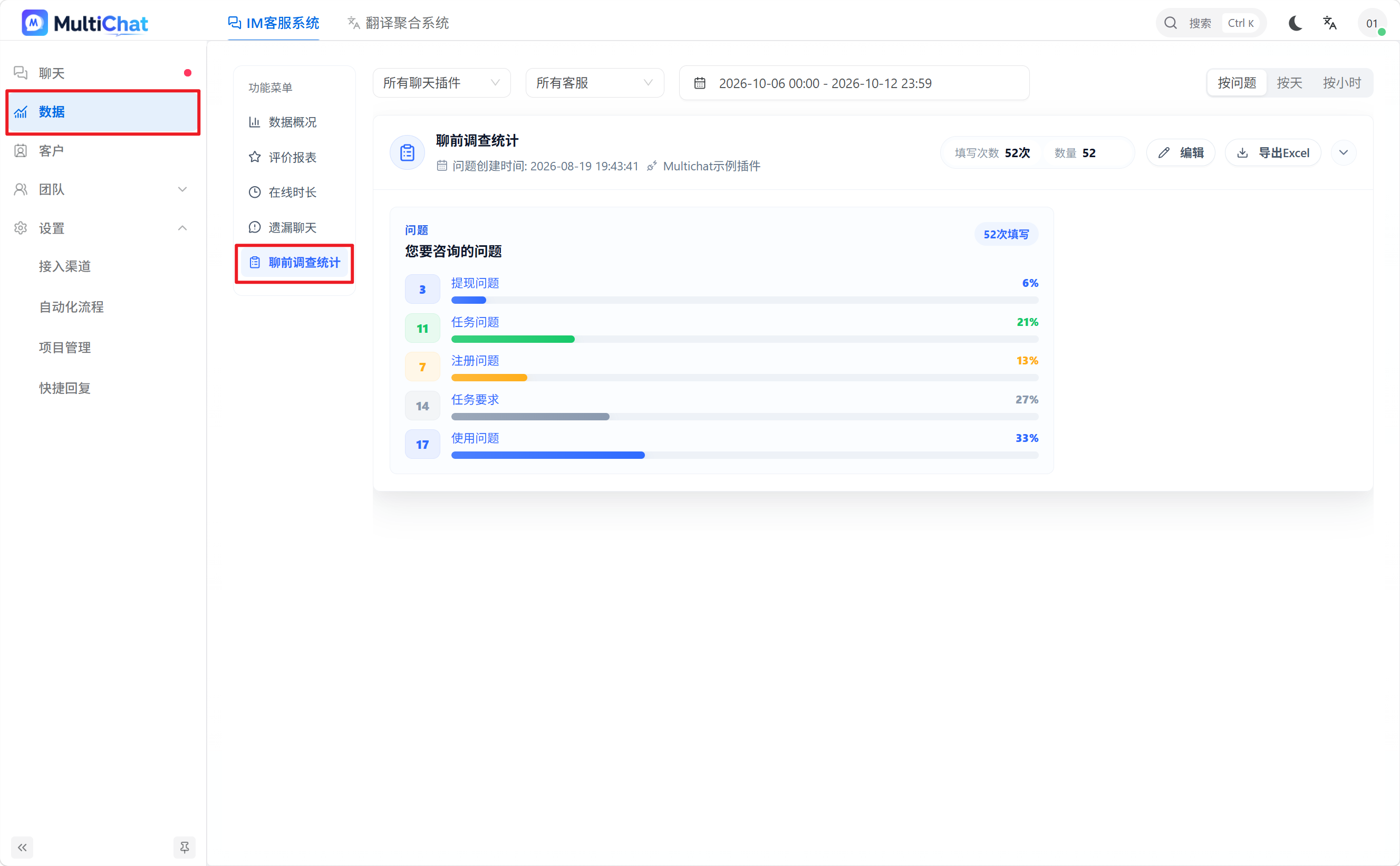
Go to Data → Pre-chat Survey Statistics to view how often each option is selected and how the numbers change over time.
Compare data from different periods to understand the issues visitors ask about most often and identify whether a particular issue has suddenly increased.
Notes:
- Statistics rule: Each pre-chat survey question creates a corresponding statistics record that tracks how often visitors select each option.
- Effect of changes: Editing the question title or options after creation generates a new statistics record. New data is counted under the new record.
- Recommendation: Decide on question titles and options in advance. Avoid frequent changes that split the statistics and affect long-term trend analysis.