
Connect a Telegram Bot
After connecting a bot, agents can handle its Telegram messages and automation from MultiChat.
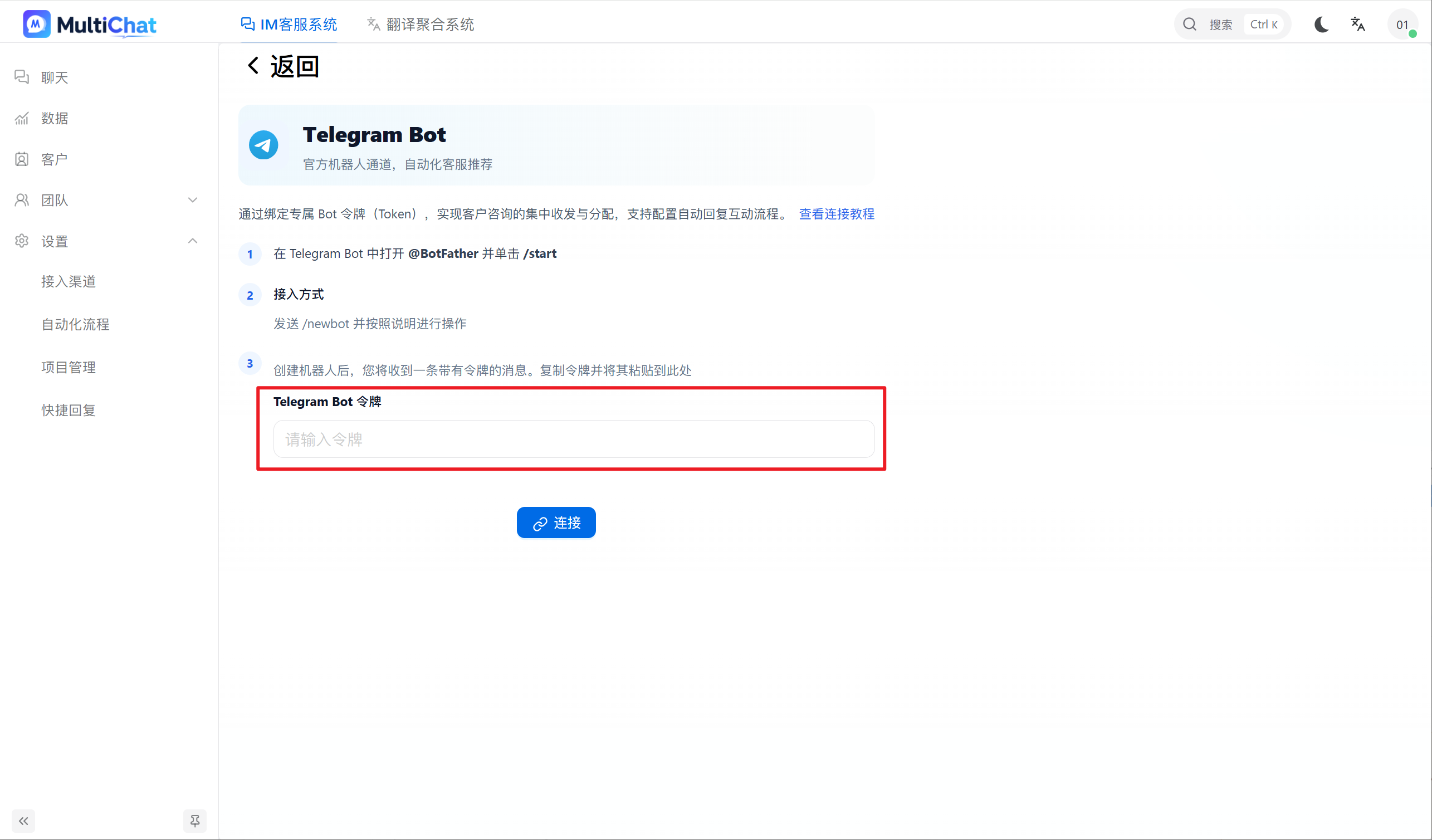
1. Get a token from BotFather
- Sign in to Telegram and open the official
BotFatherchat. - Send
/start. - To create a bot, send
/newbotand follow the prompts. - For an existing bot, send
/mybotsand select it. - Copy the token supplied by BotFather.
Protect the token
A bot token acts as a credential. Never publish it or reuse the same token across unrelated services.
2. Connect in MultiChat
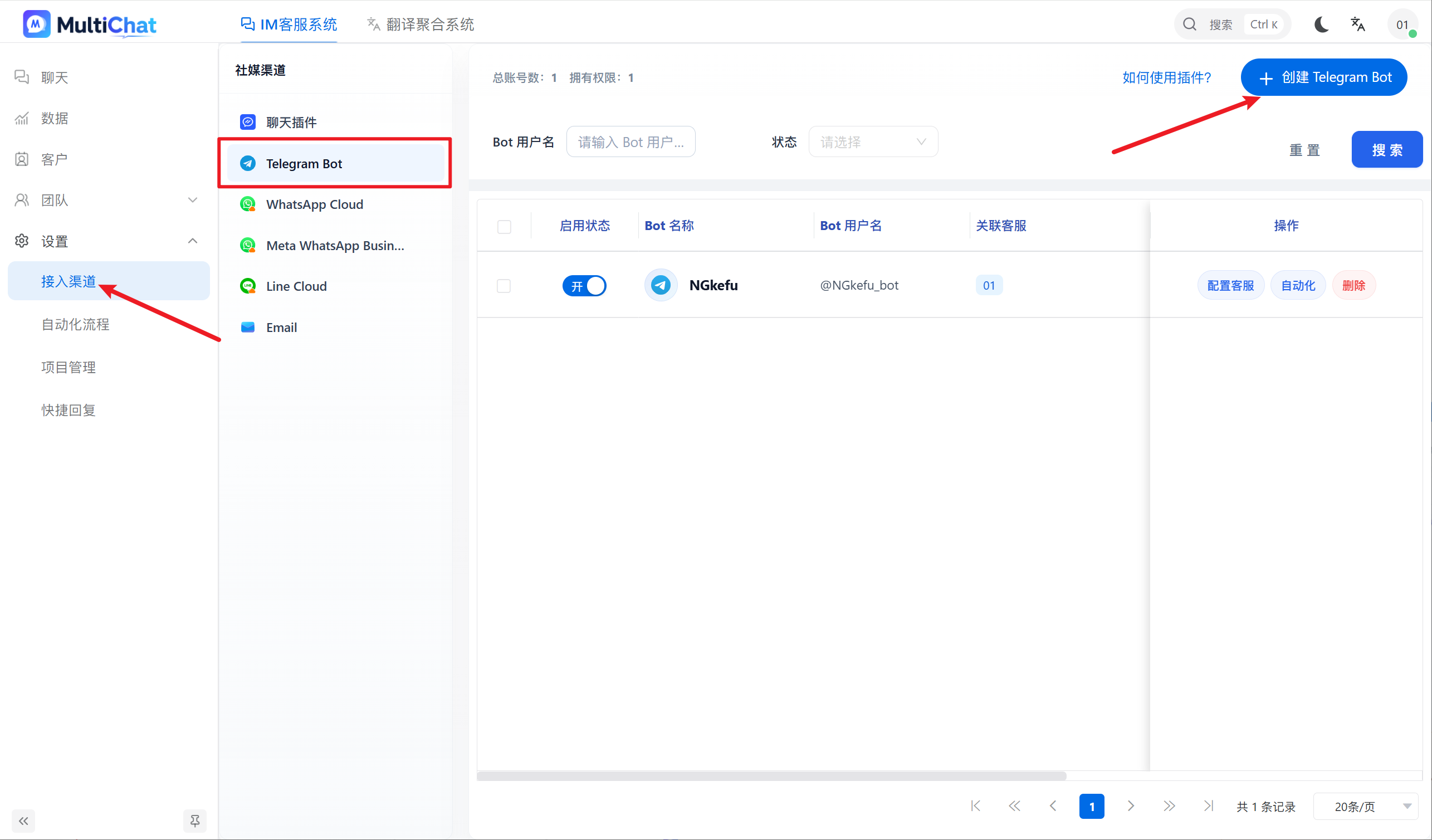
Go to “Customer Service Management → Integrations → Telegram Bot”, click the create button, paste the token, and confirm.
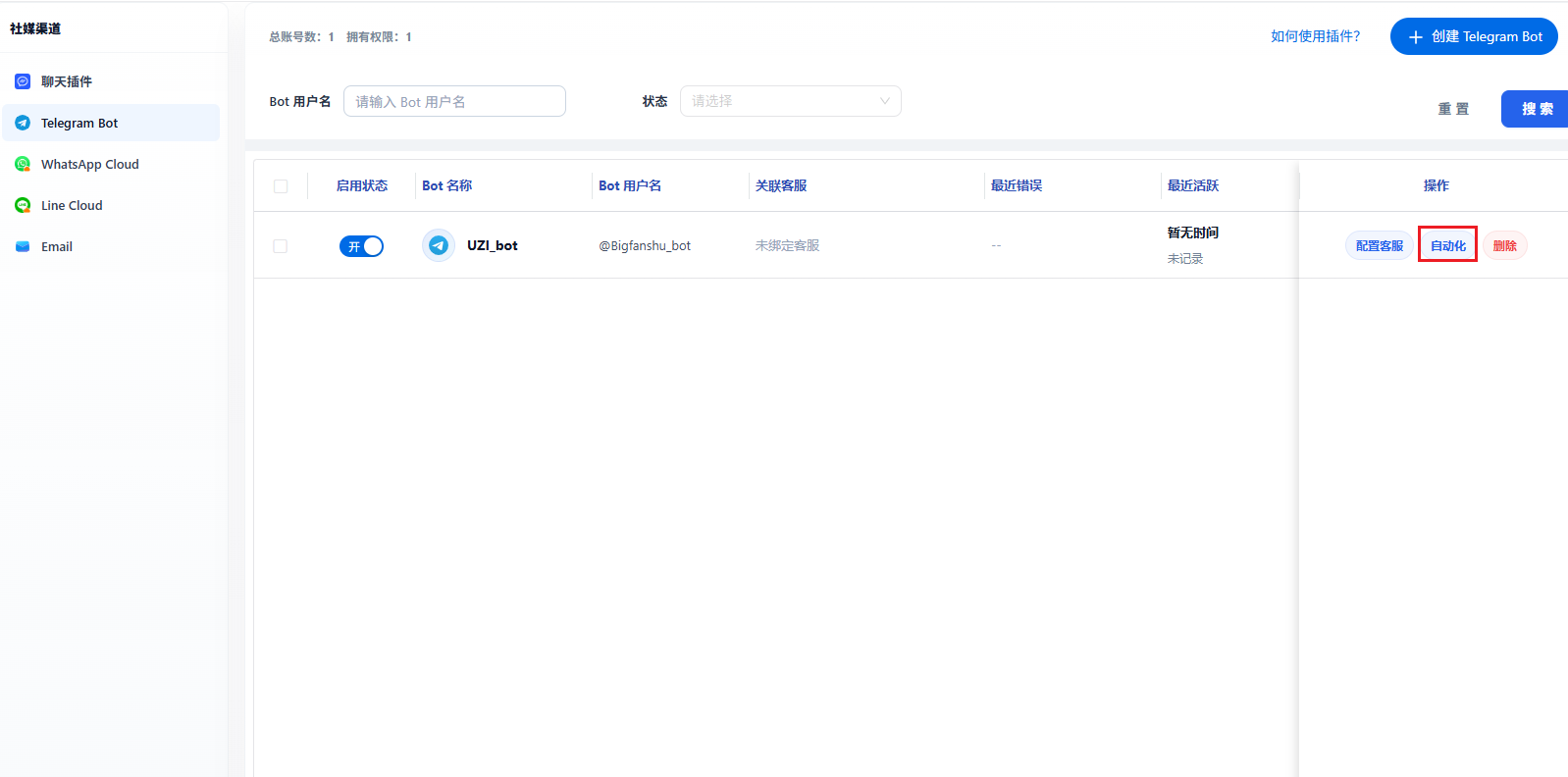
3. Enable and manage the bot
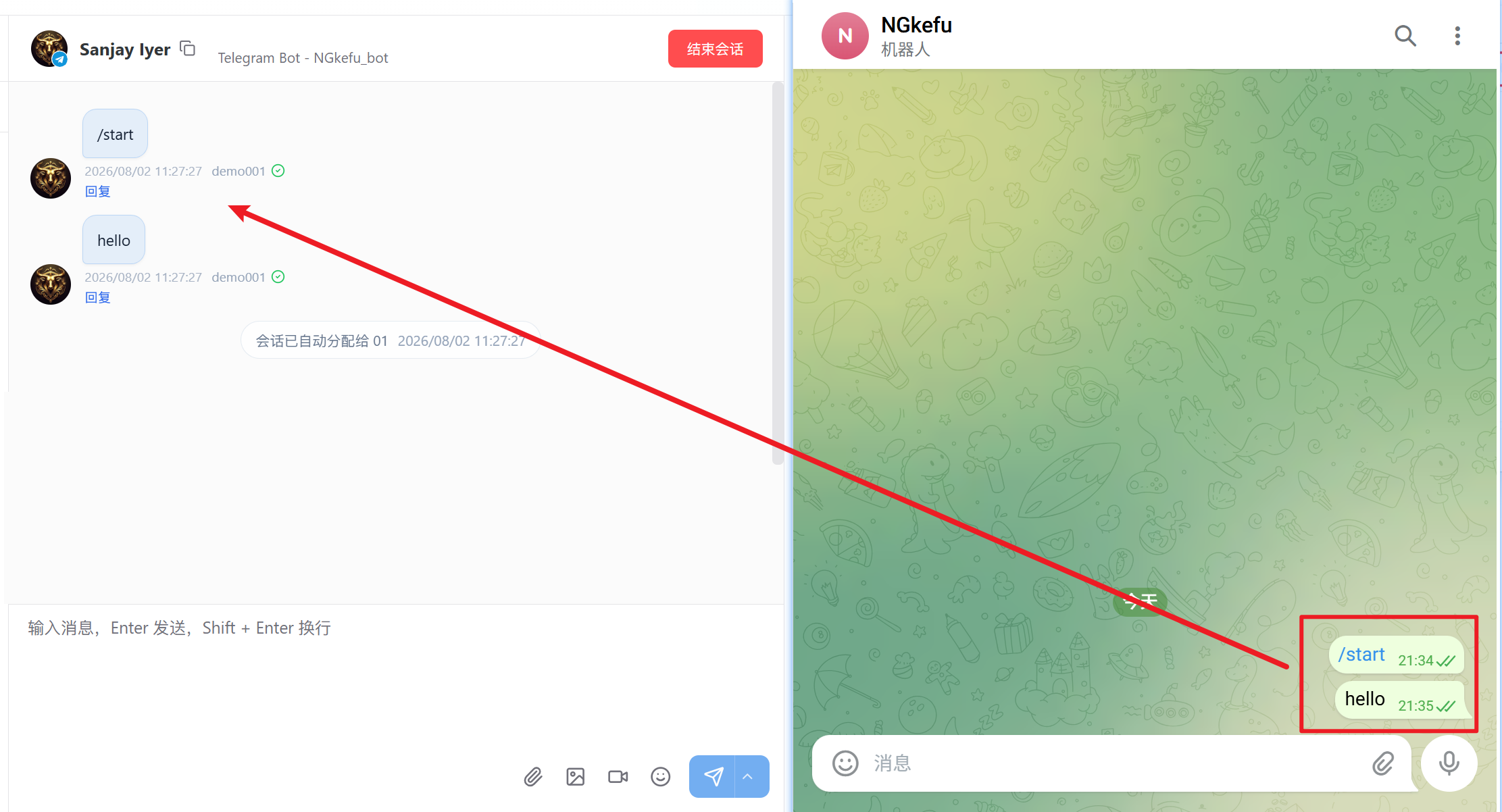
Search by account name or status and enable the bot in the list to begin receiving messages.
4. Assign agents
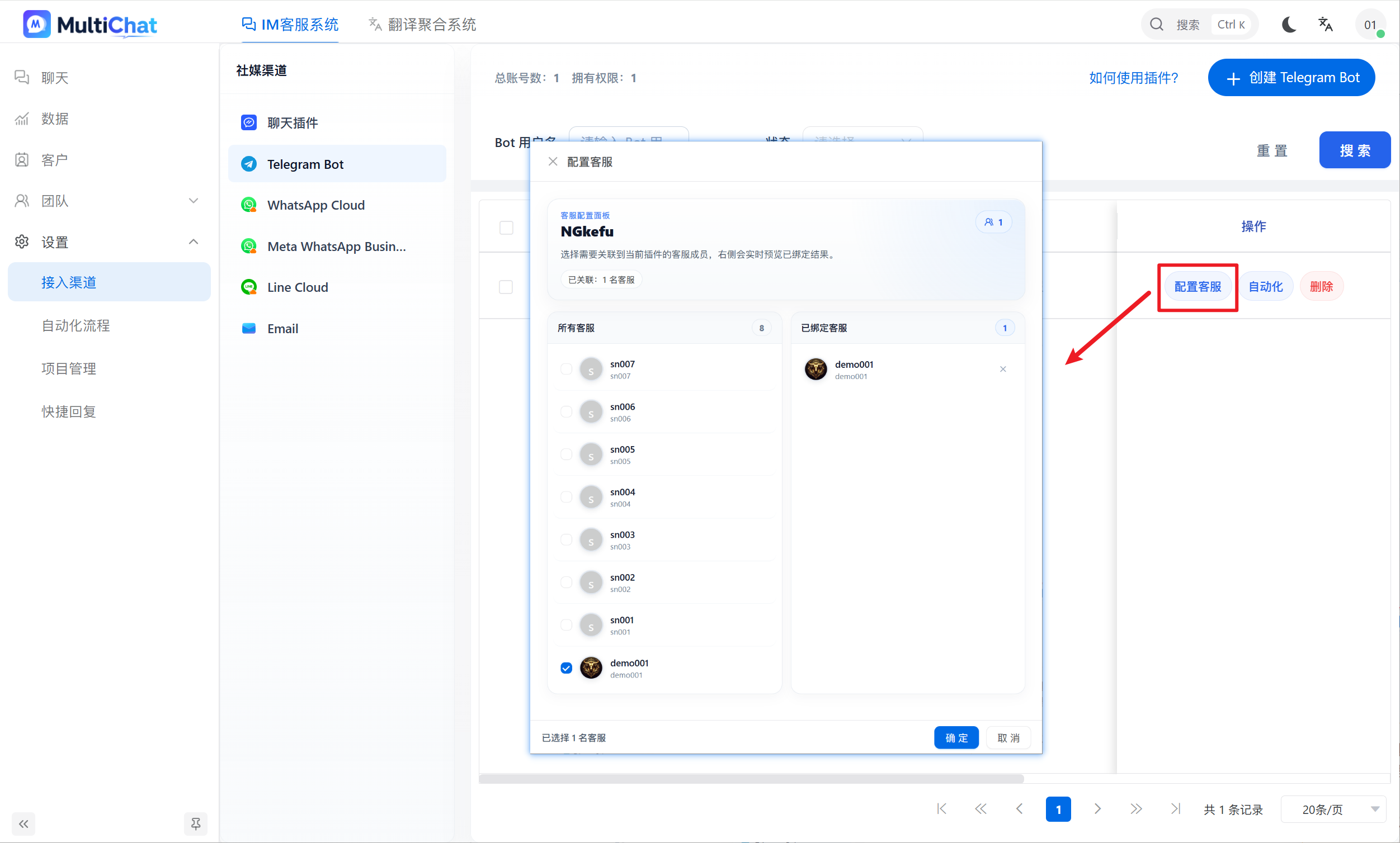
Click Configure Agents, select the members who should handle the bot's conversations, and confirm.
5. Associate automation
Click Automation and select the required flows. “Associate all automation” includes existing and future eligible flows.