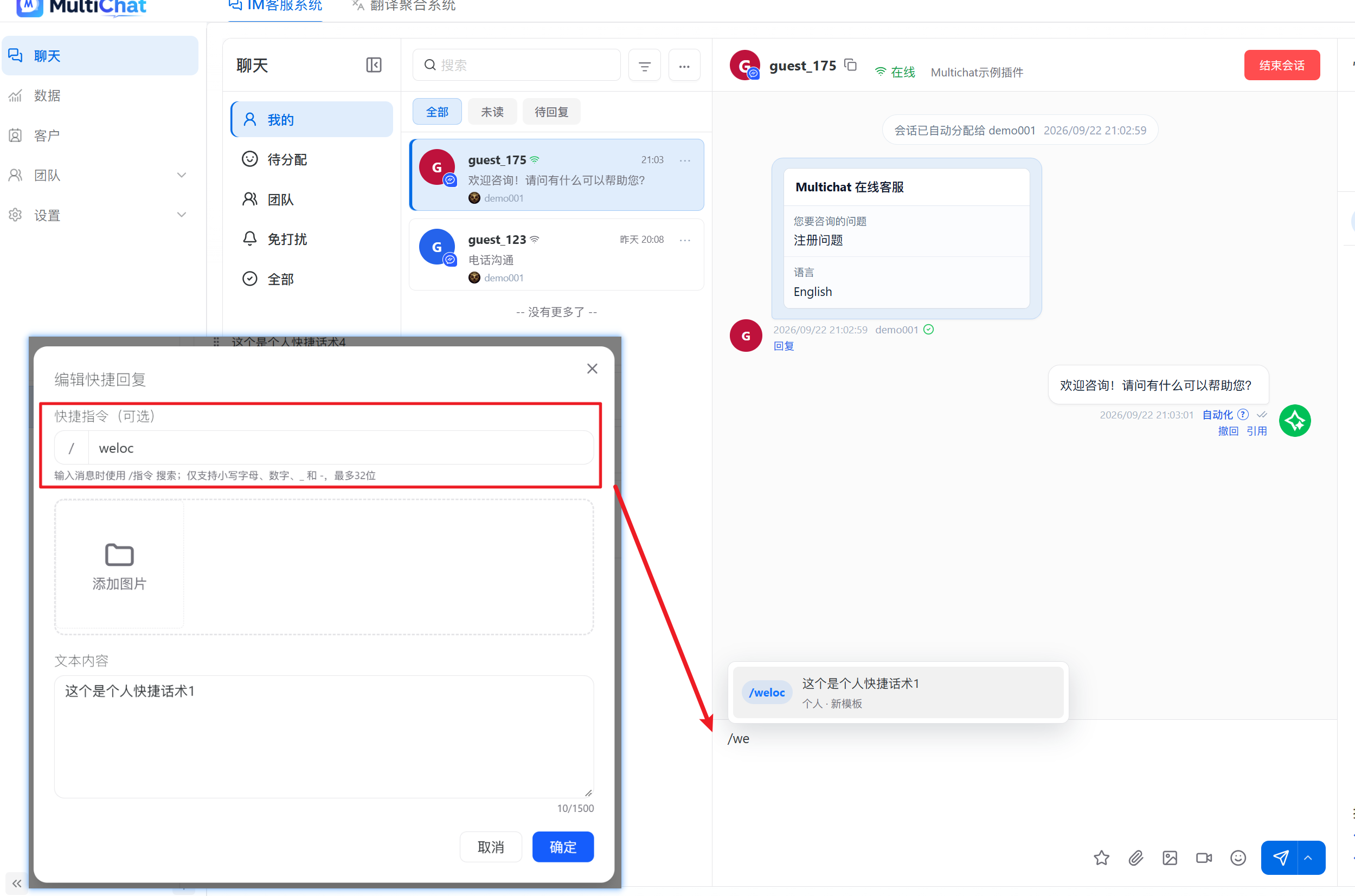
Create and Use Quick Replies
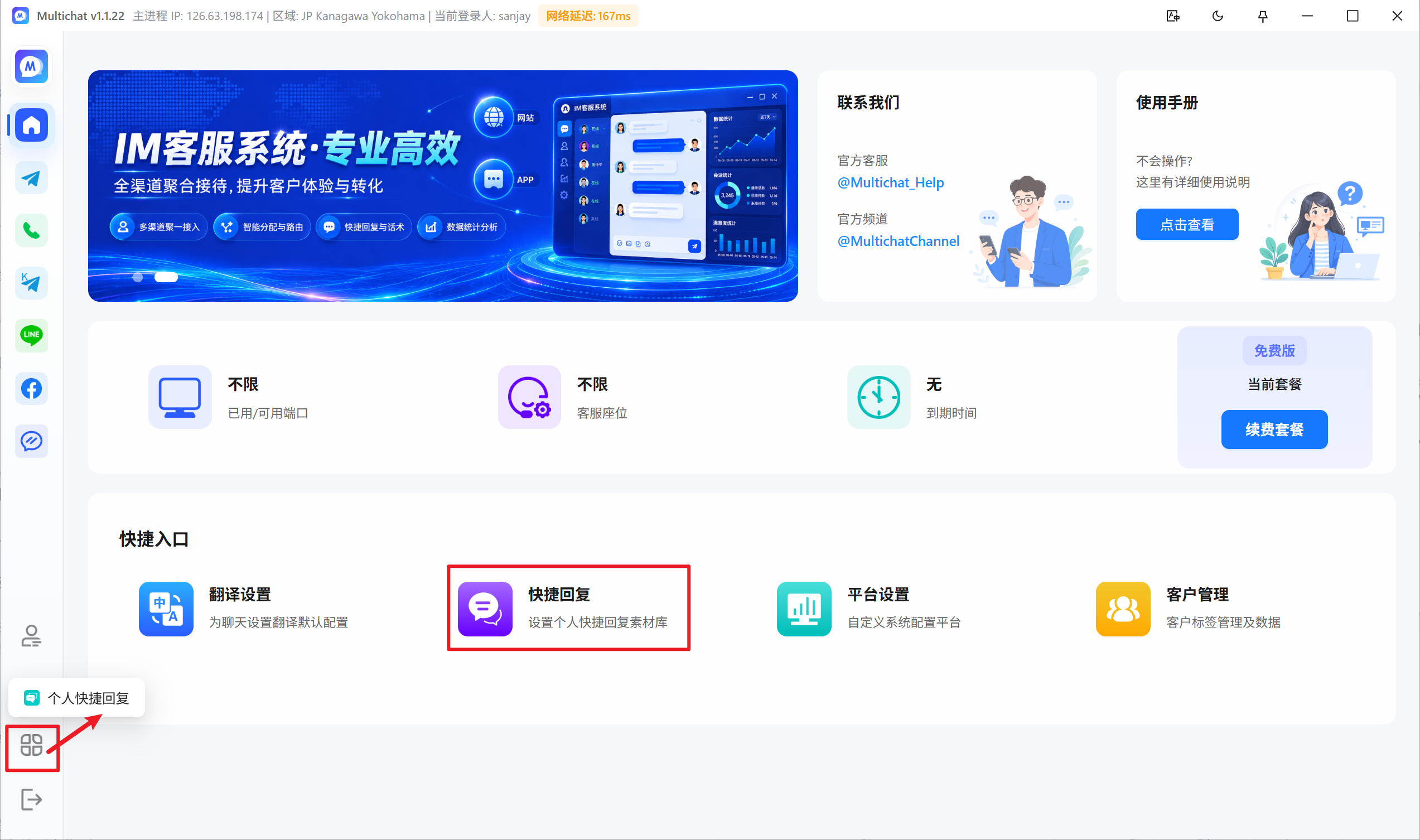
Quick replies store frequently used greetings, product explanations, and support instructions. MultiChat provides personal and shared quick replies.
Personal quick replies
Only the current agent can edit and use personal replies.
- Open a customer conversation.
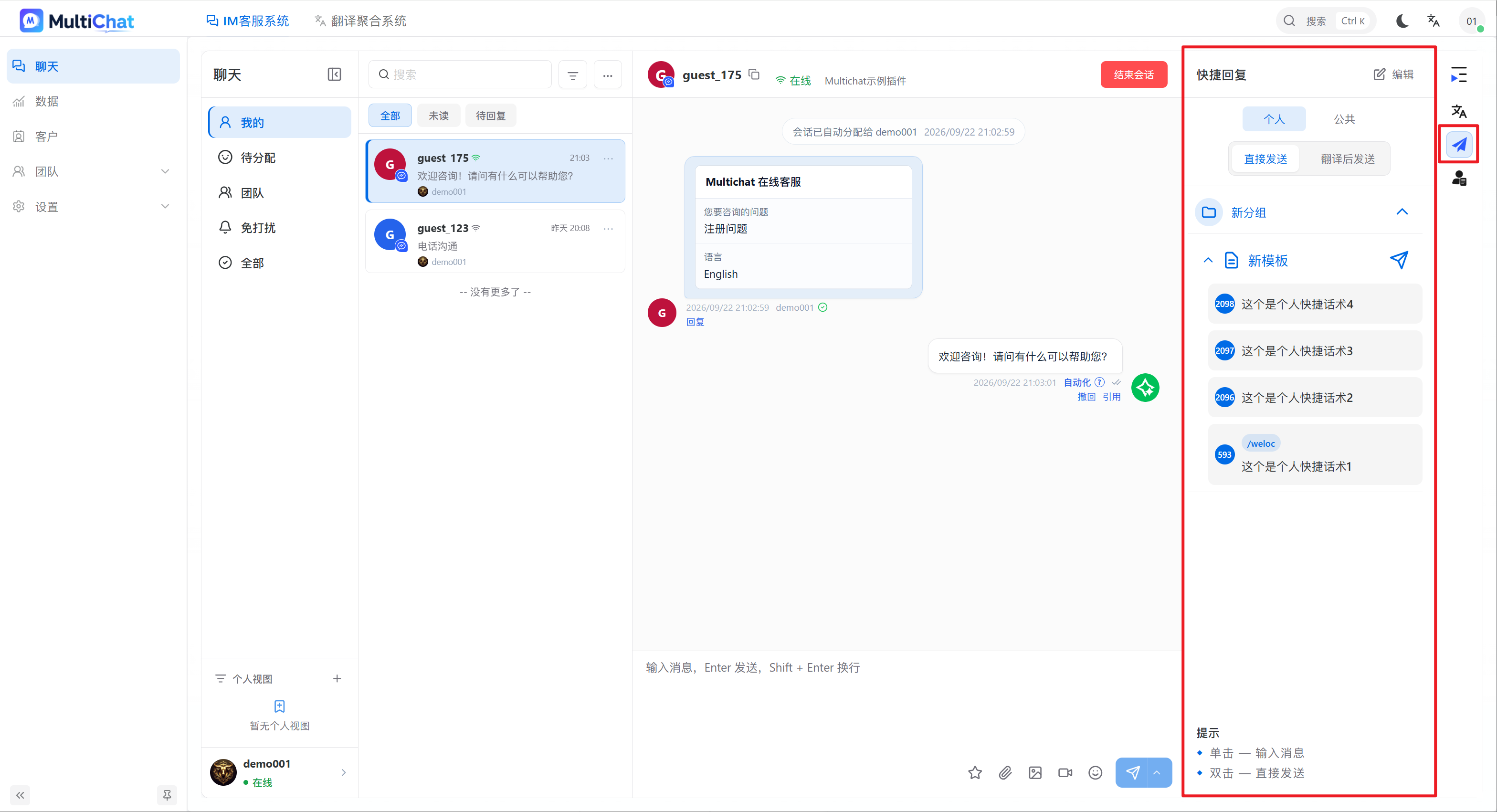
- Select Quick Reply Editor from the right-side tools.
- Create and save the response.
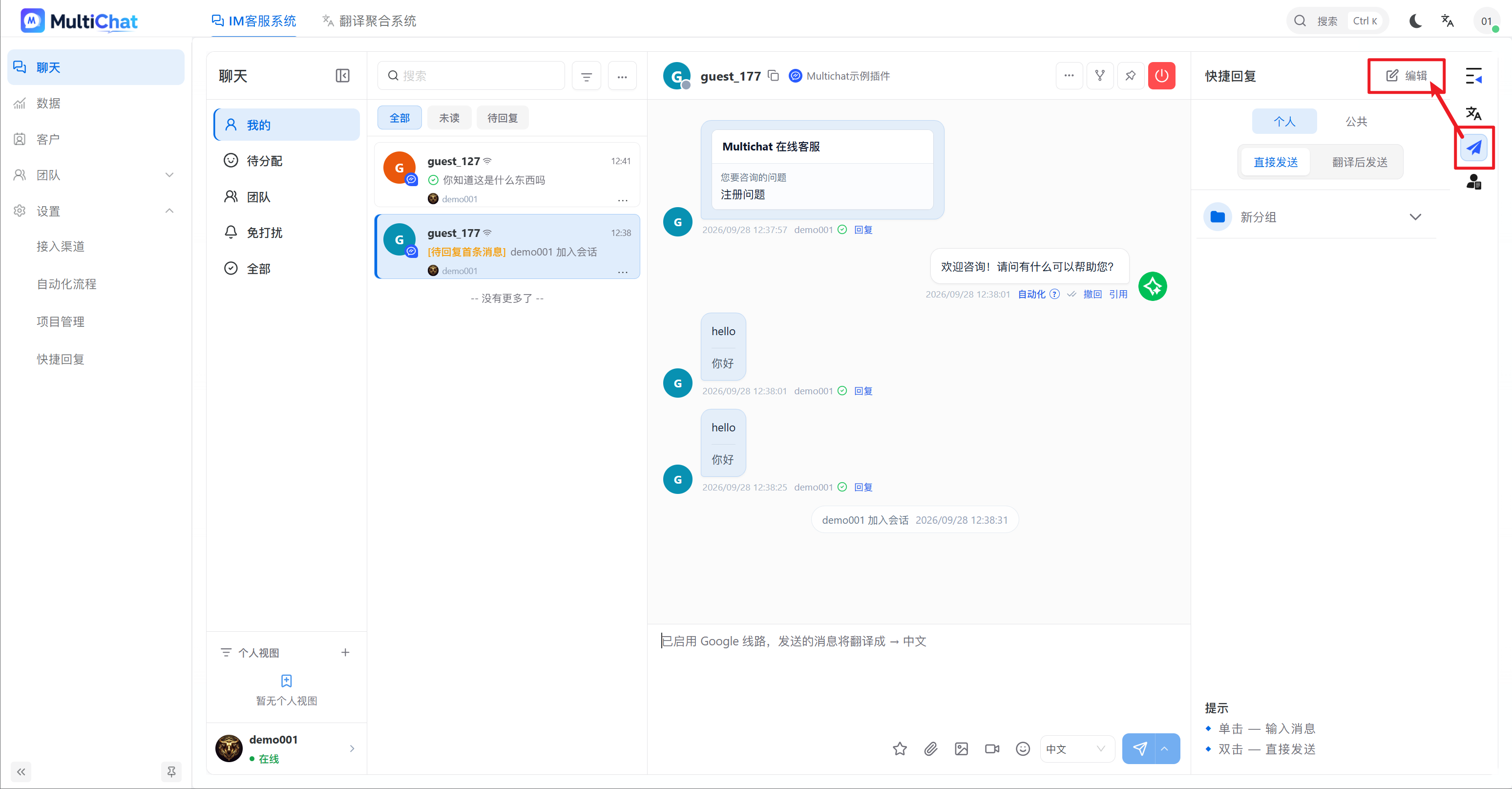
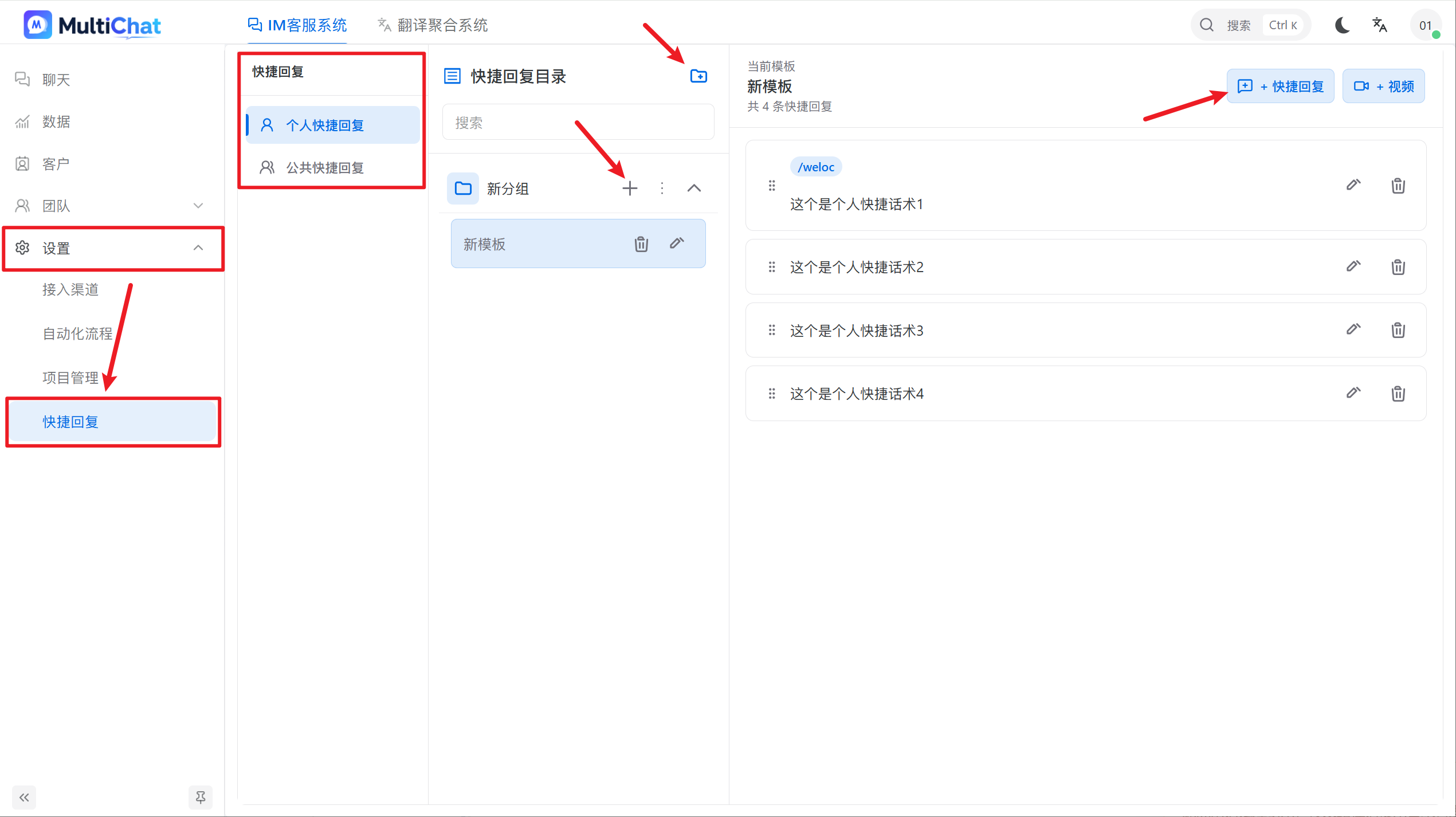
To send one, open Quick Replies, select Personal, and click the required response.
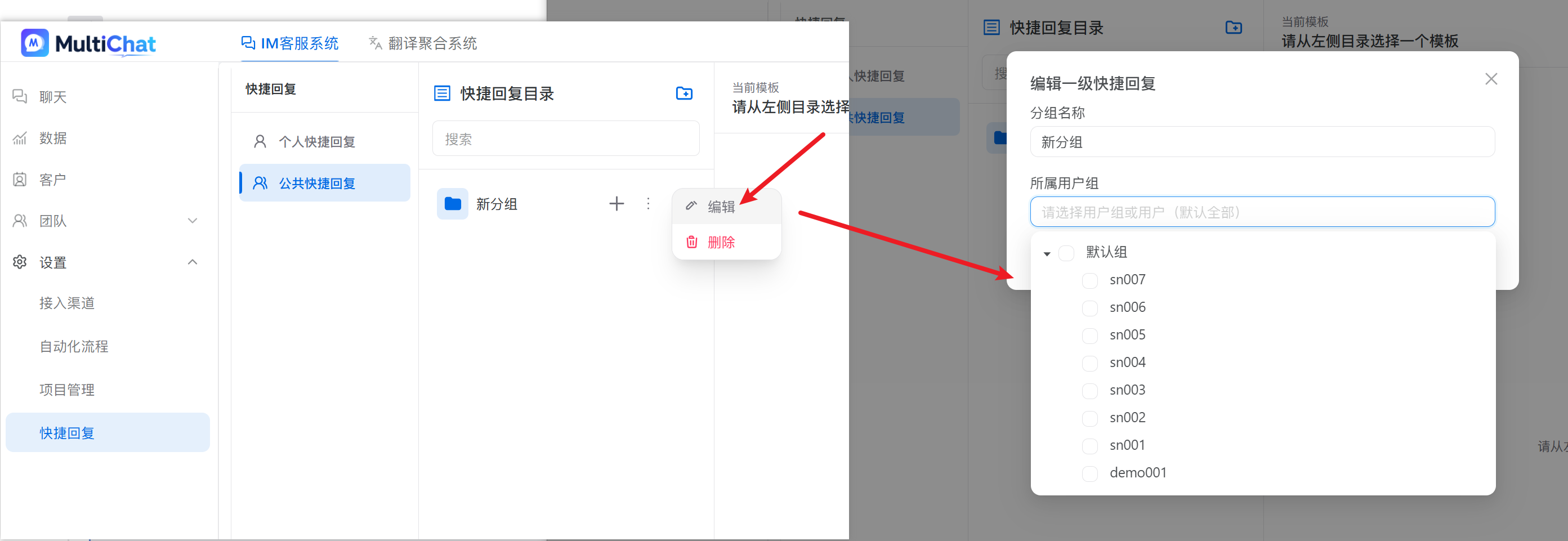
Shared quick replies
Administrators or supervisors maintain shared replies. Agents can use them but cannot change them.
Writing recommendations
- Use one reply for one clear question.
- Choose consistent, searchable names.
- Verify prices, dates, links, and customer-specific information before sending.
- Remove outdated responses regularly.