
Create an Agent Account and Configure Permissions
Client subaccounts are used to sign in to the MultiChat client and admin console.
Create an account
- Open Agent Management from the left navigation.
- Click “Add Account”.
- Enter the account name, password, and other required details.
- Click “Confirm”.
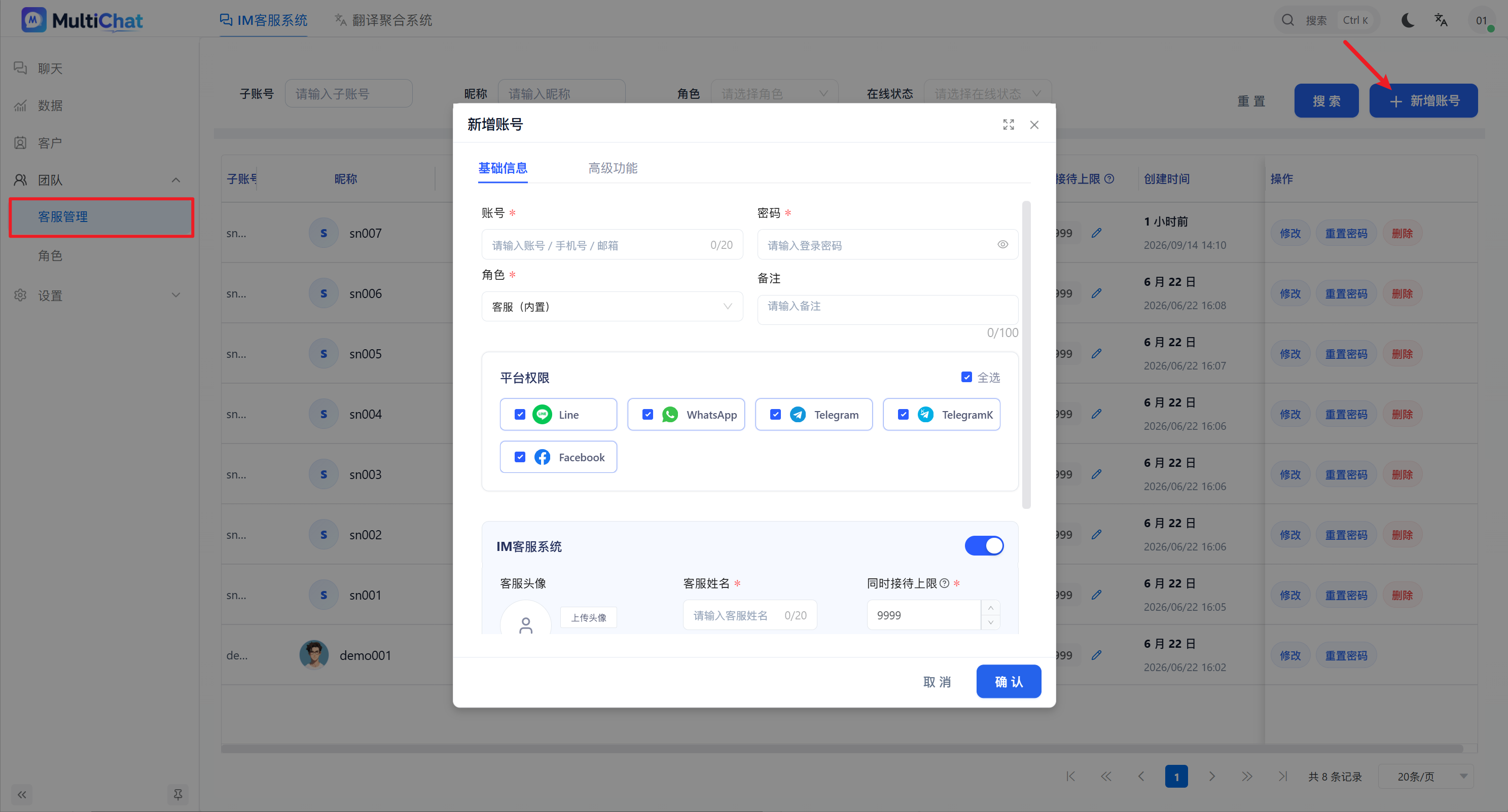
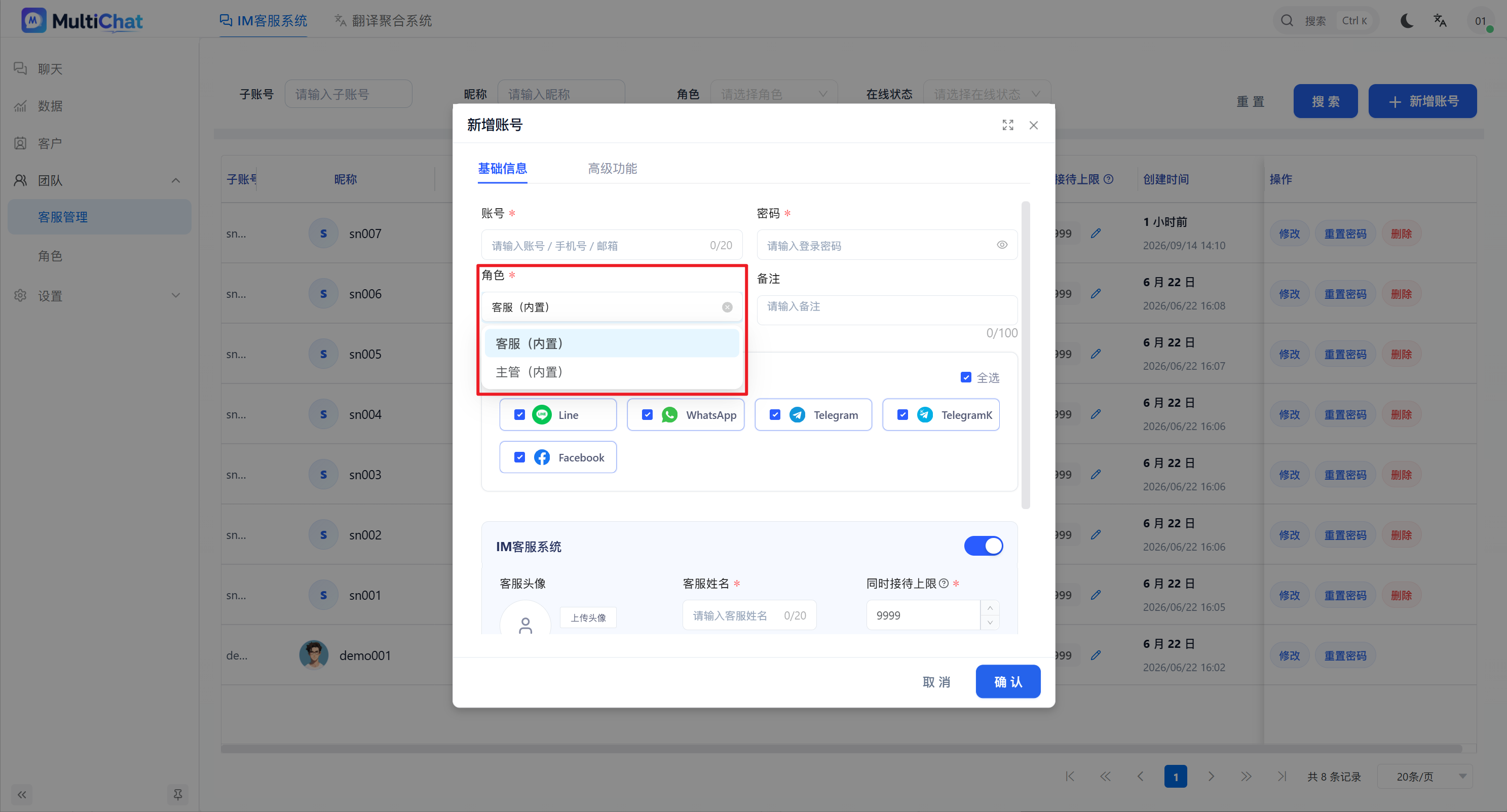
Select a role
The role primarily controls which features the agent can view and use after signing in. Agent roles provide only the features needed for service by default. Choose a role that matches the member's responsibilities.
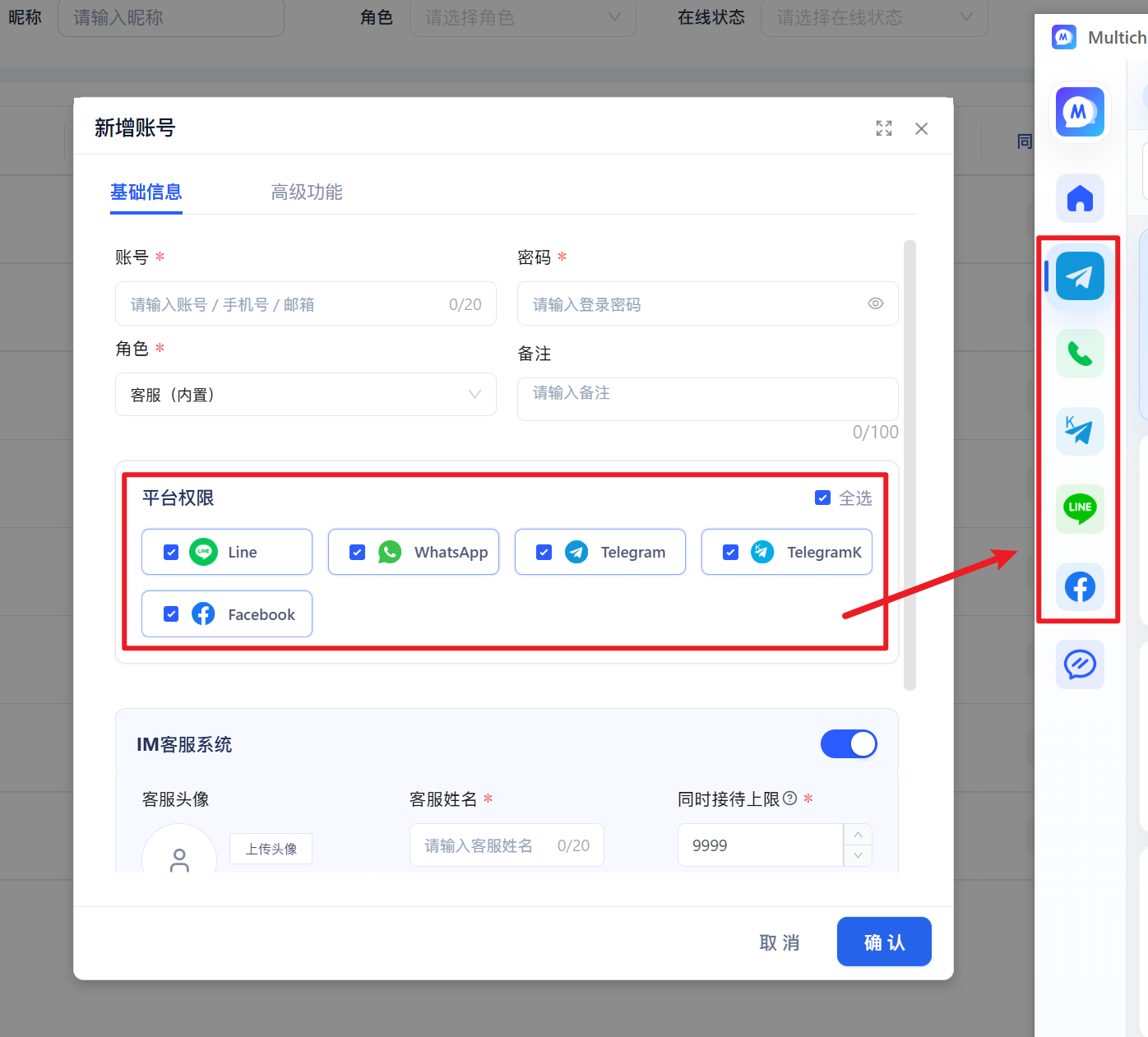
Configure platform permissions
Platform permissions define which Unified Translation platforms an agent can use in the desktop client. After Telegram, WhatsApp, or another platform is selected, the agent can see that platform after signing in, log in to their own account, and use unified translation.
Enable IM Customer Service
The “IM Customer Service” switch controls whether the IM area appears in the desktop client.
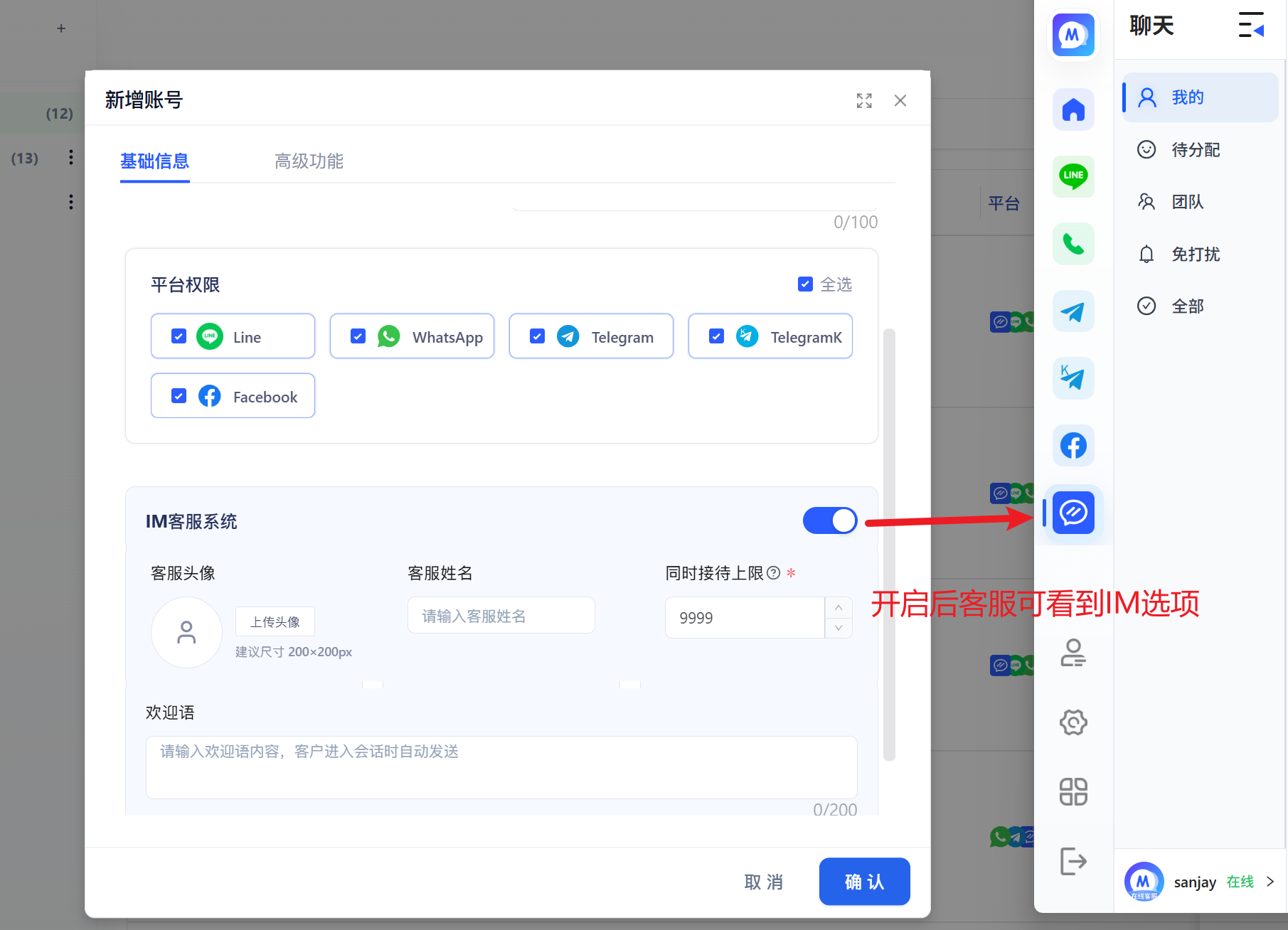
- Agent avatar: The avatar shown to visitors when the agent handles a conversation and replies to messages.
- Agent name: The name shown to visitors when the agent handles a conversation.
- Maximum concurrent conversations: The maximum number of conversations the agent can handle at the same time.
- Welcome message: When a visitor conversation is automatically assigned to this agent, or the agent manually joins the conversation, the system automatically sends the preset welcome message to the visitor. What is the difference between this welcome message and an automation welcome message?
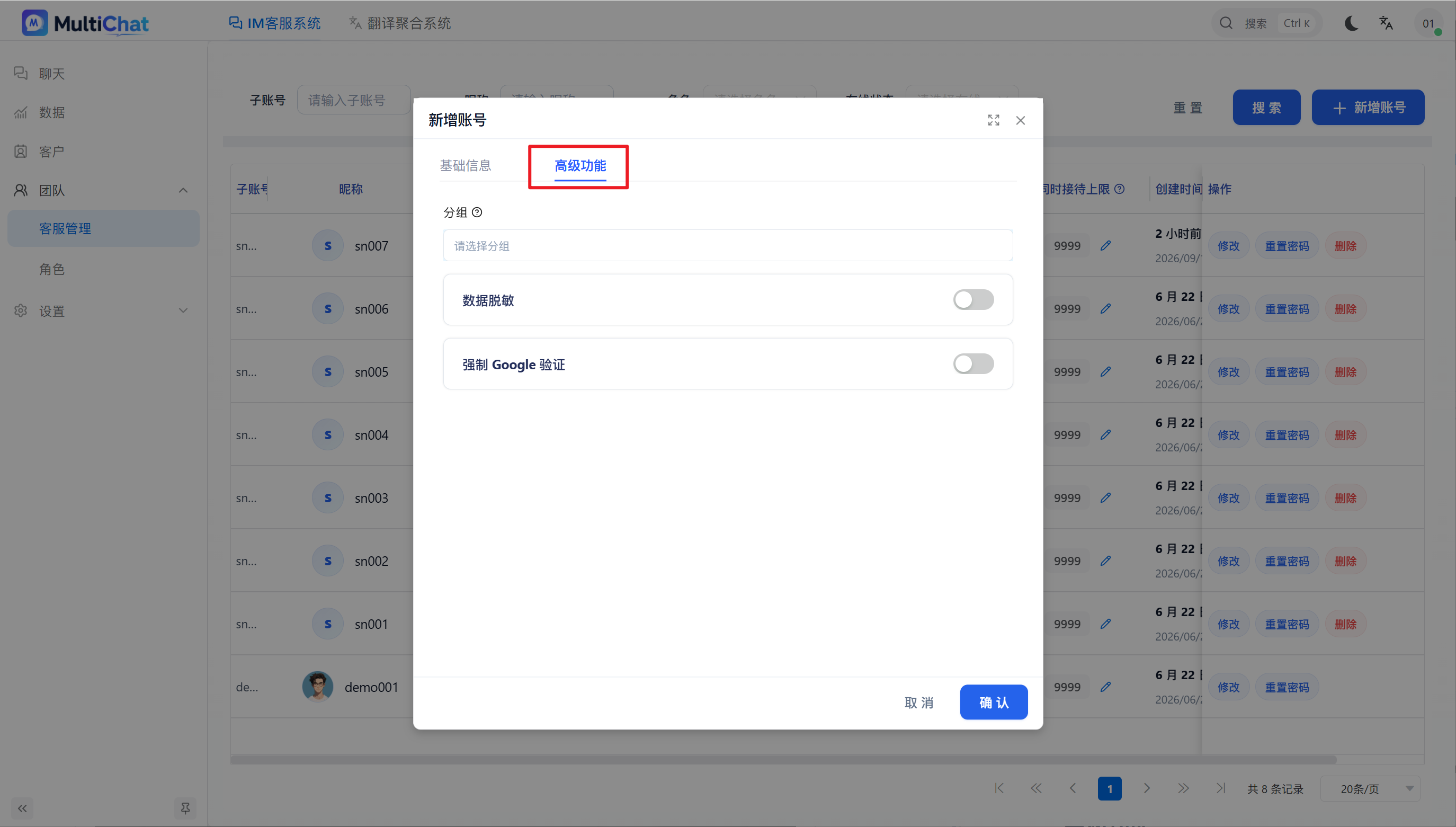
Advanced Features
Group: Add the agent to a specified group for management by team or business function.
Data masking: Control whether the agent can view sensitive visitor information. When enabled, access to phone numbers, email addresses, and other contact details can be restricted.
Require Google verification: Enable two-factor authentication for the agent. After it is enabled, the agent must enter a Google verification code in addition to the account name and password when signing in.
TIP
After changing permissions, ask the agent to sign out and sign in again before the new permissions appear.