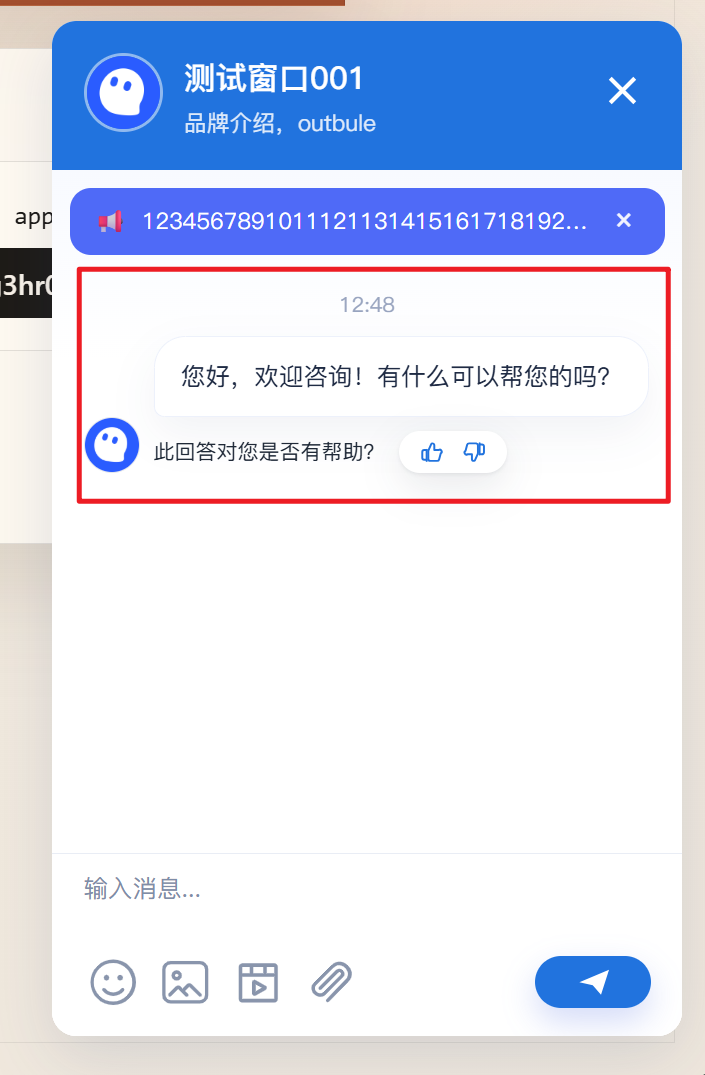
Configure an Automatic Greeting
A greeting is sent automatically when a visitor enters the chat page. Use it to explain your service or guide the visitor to the next step.
1. Select the greeting template
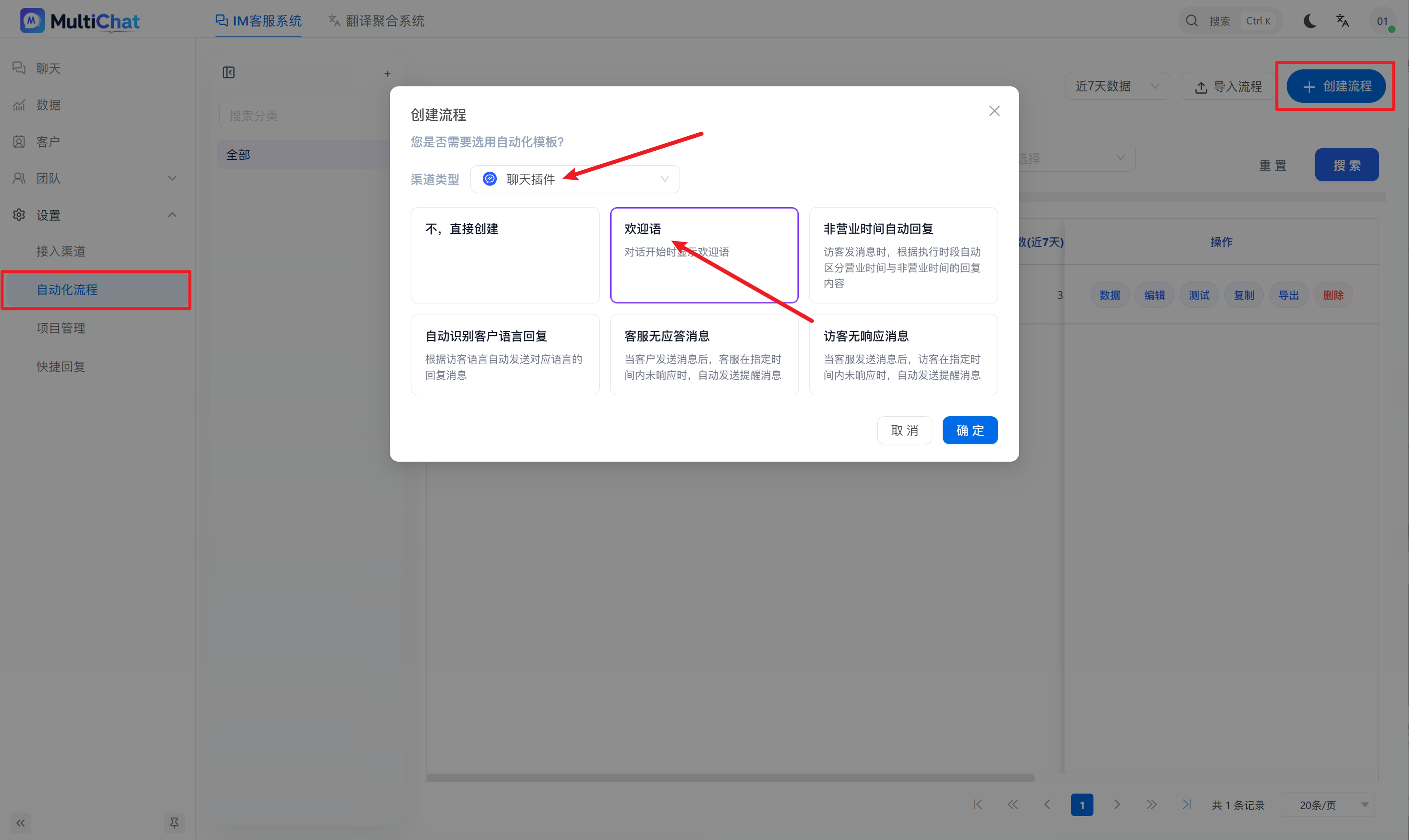
Open Automation, click “Create Flow”, select the Greeting template, and confirm.
2. Edit the message
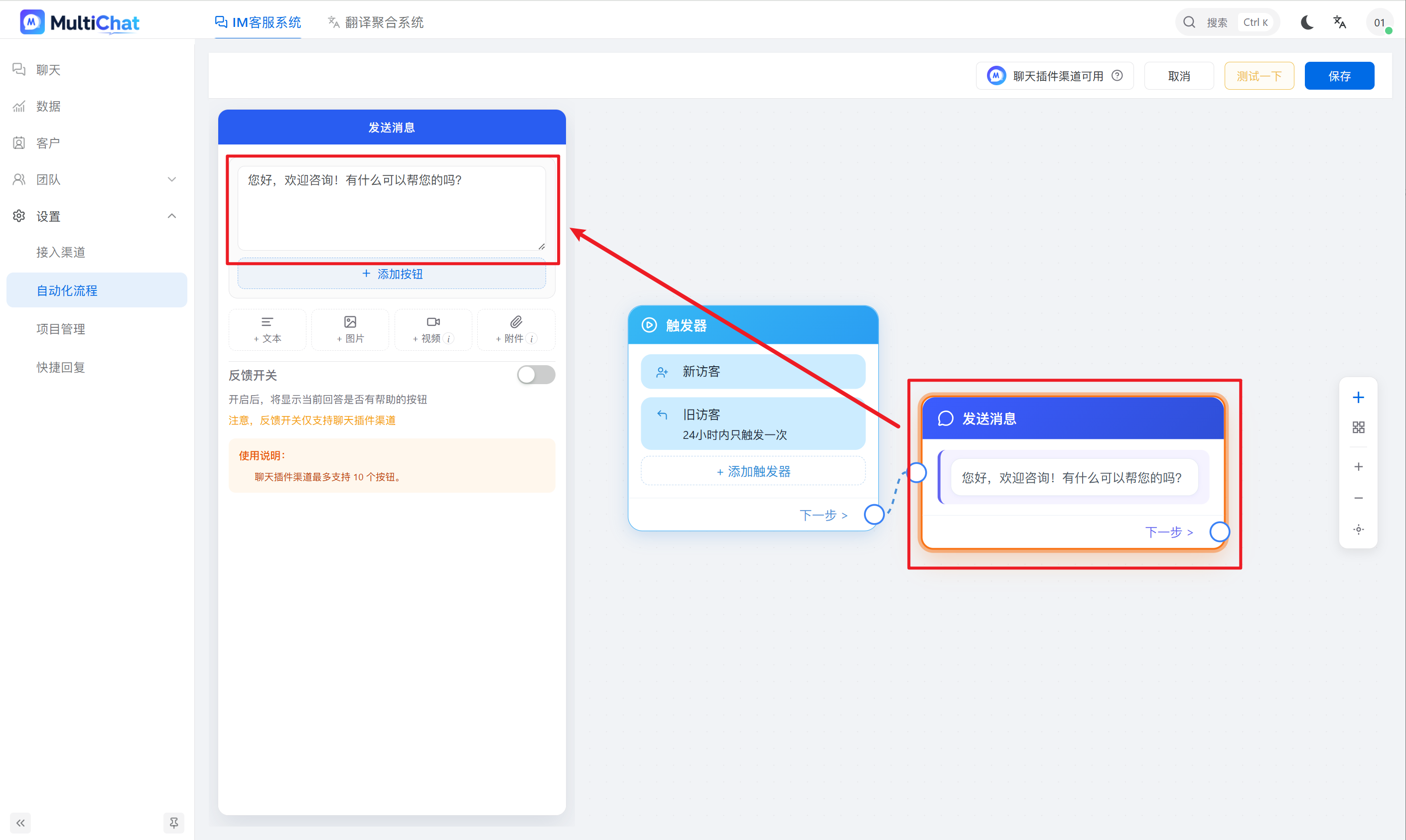
Select the Send Message card and edit the greeting in the side panel.
3. Save and bind the plugin
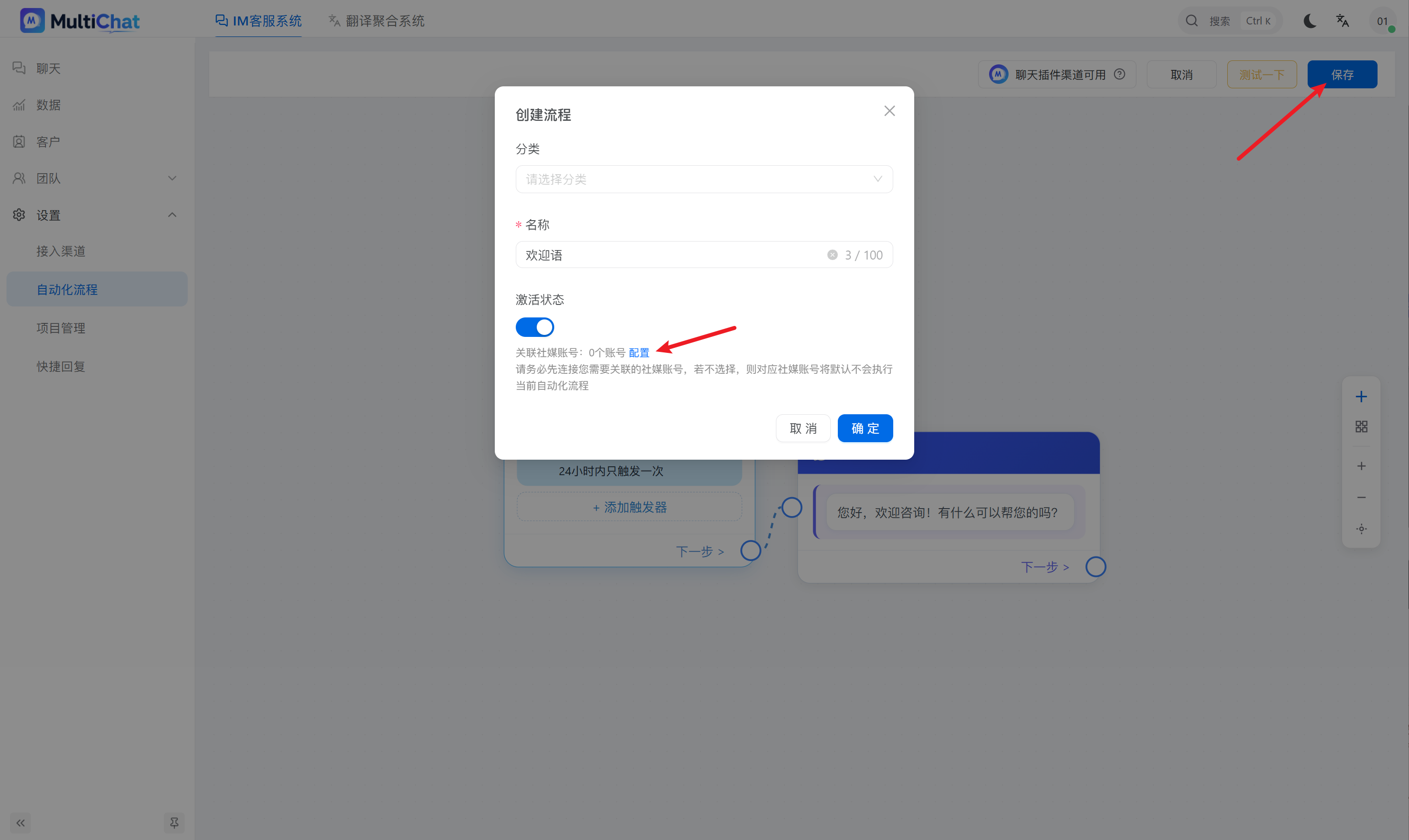
- Click “Save” in the upper-right corner.
- Enter a recognizable flow name.
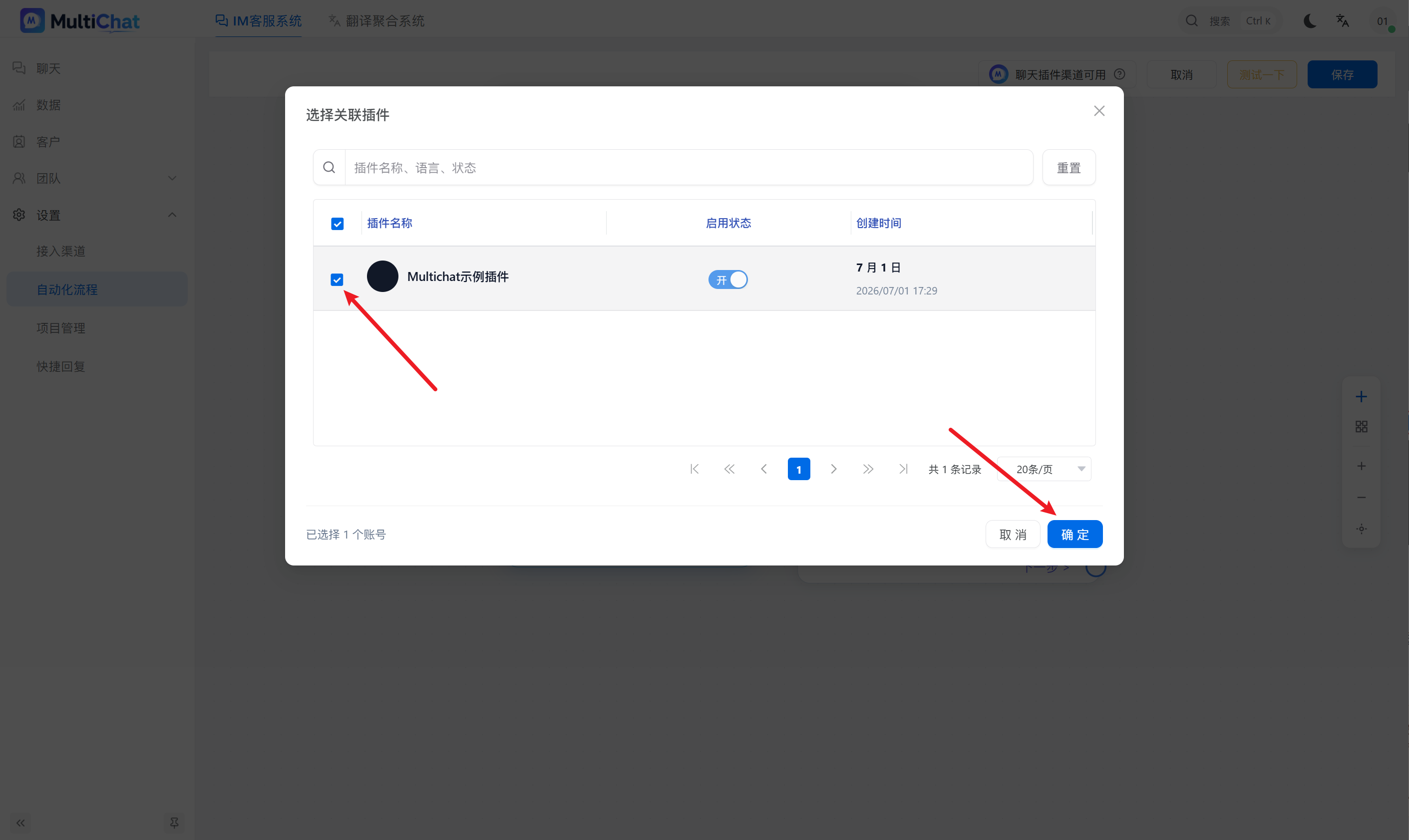
- Click “Configure” and select the chat plugin that should use the flow.
- Confirm the selection.
4. Verify the result
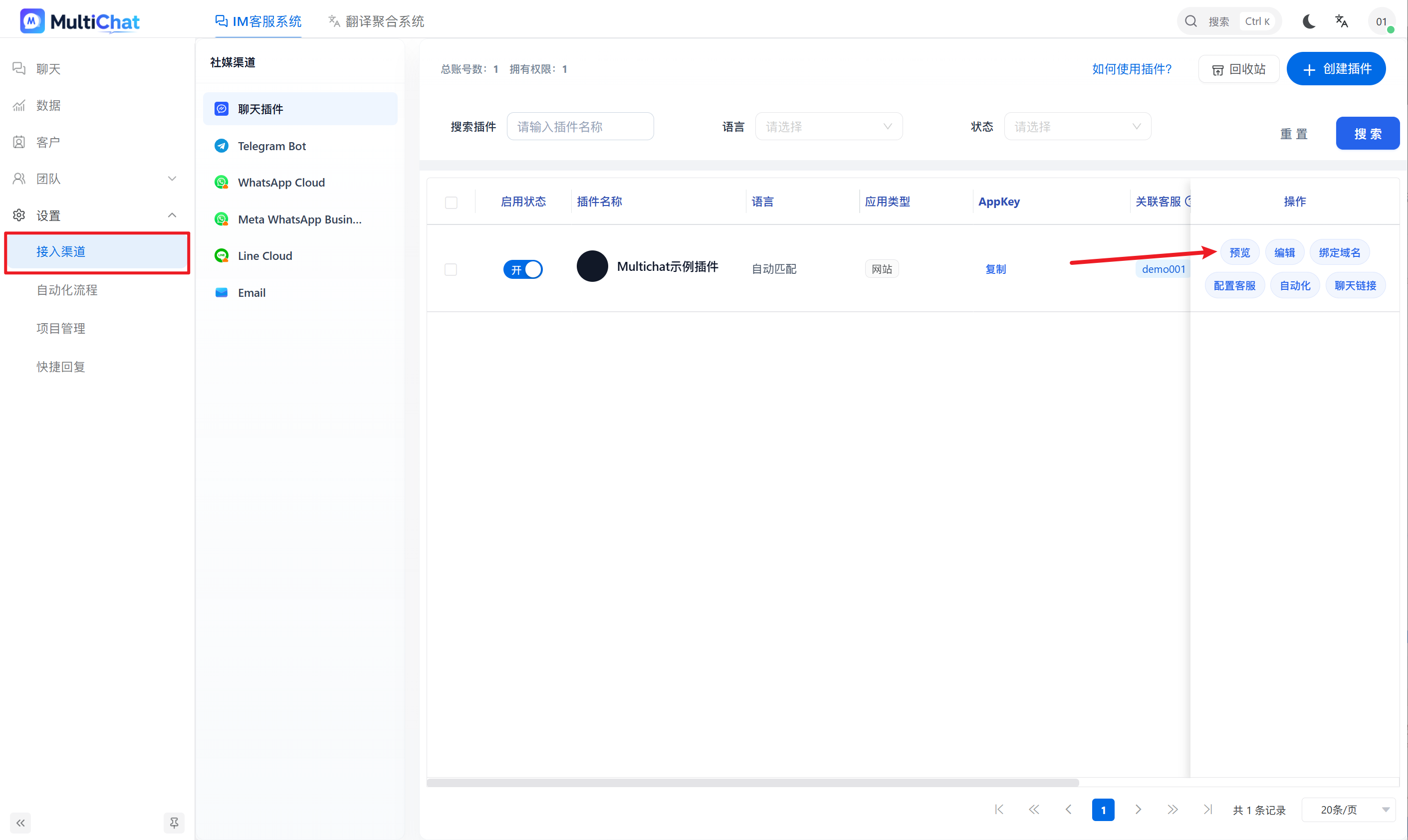
Open Integrations and preview the bound plugin. Enter as a new visitor and confirm that the greeting is sent automatically.