
How to Get a Telegram Bot Token
Create a new bot
1. Open BotFather
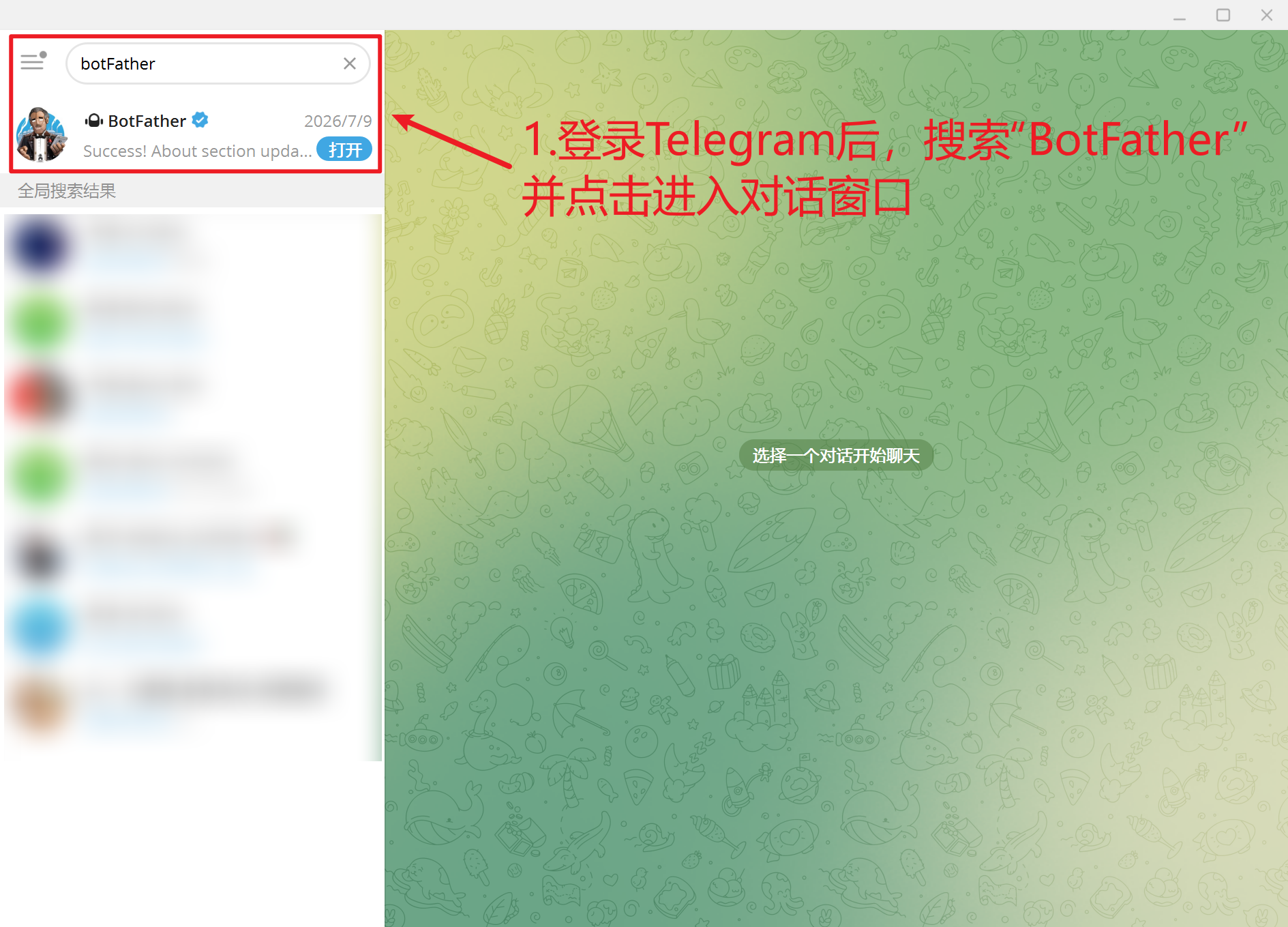
Open Telegram, search for @BotFather, and confirm that you are using the official account. Click Start or send /start.
2. Create the bot
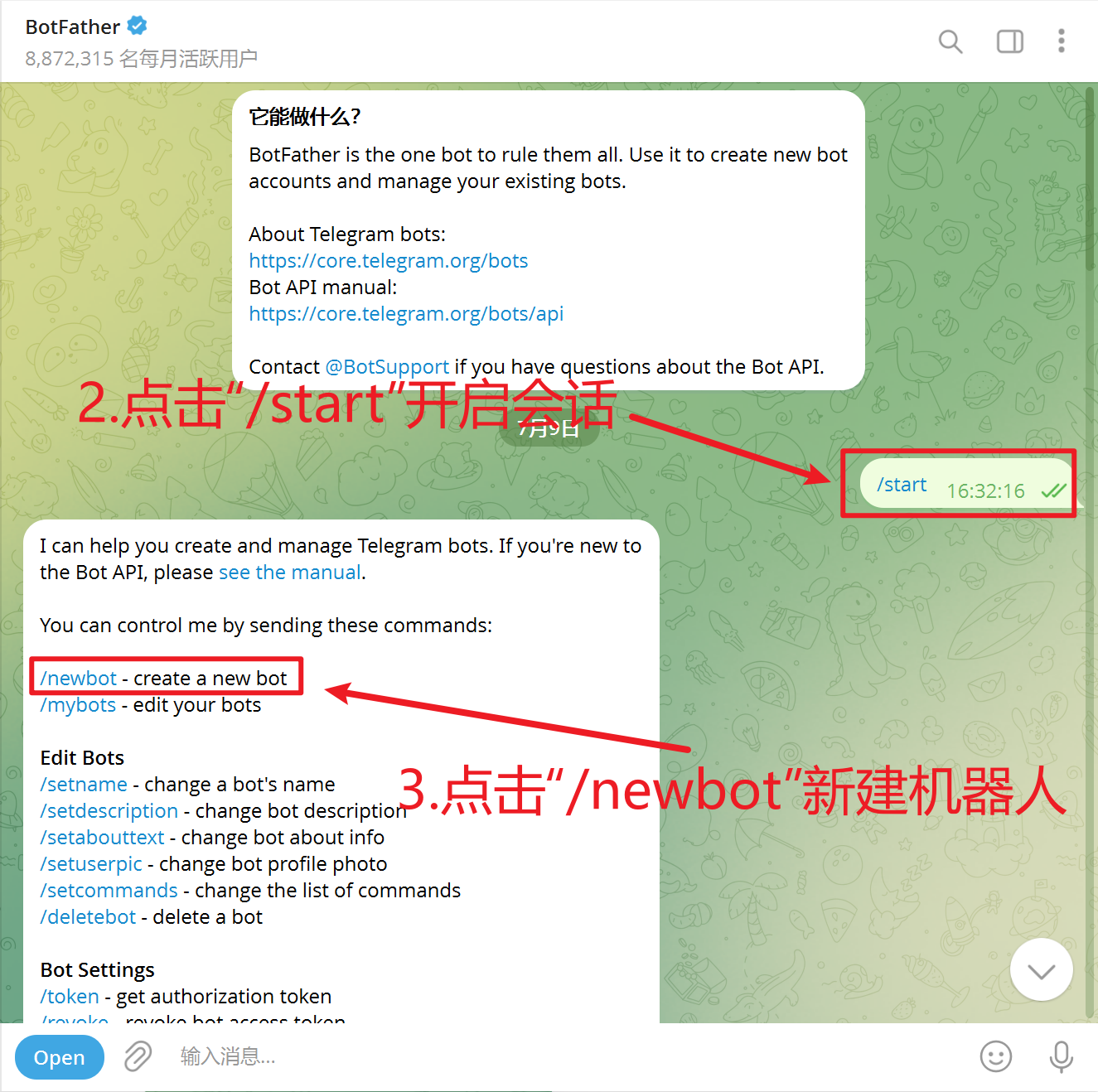
Send /newbot to BotFather.
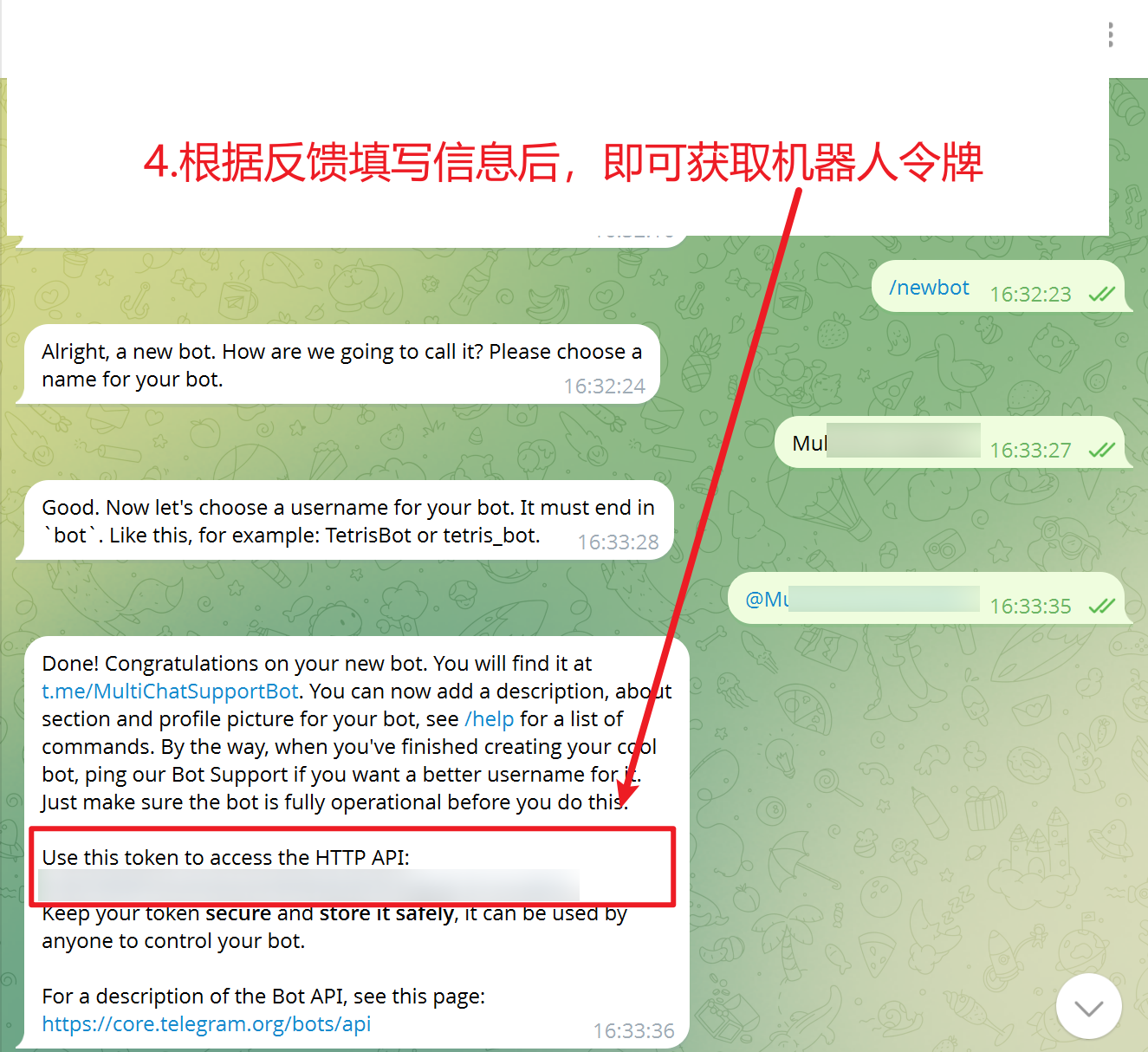
Enter a display name for the bot, such as MultiChat Support. Then enter a unique username, such as @MultiChatSupportBot. The username must end in bot.
3. Copy the Bot Token
After the bot is created, BotFather returns the bot link and its Bot Token.
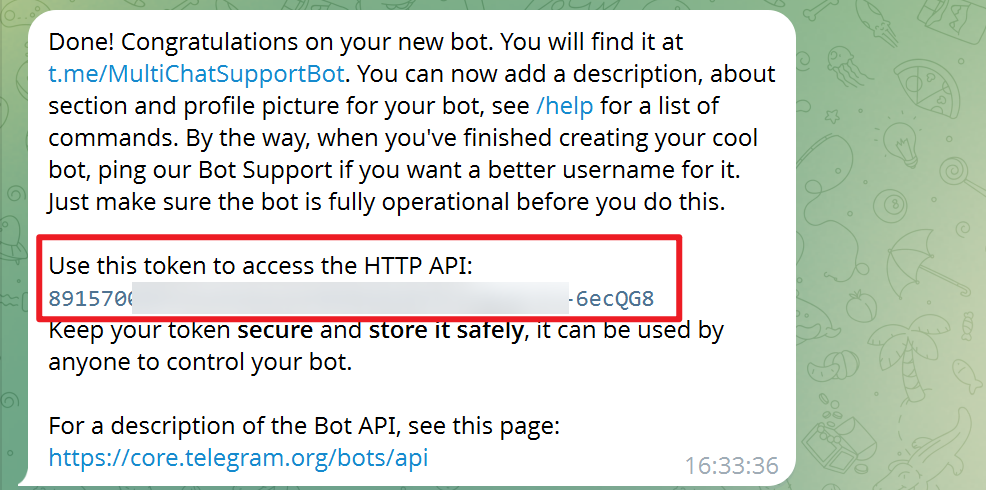
Copy the token and store it securely. Anyone with this token can control your bot.
Get the token for an existing bot
- Send
/mybotsto BotFather. - Select the bot.
- Select API Token.
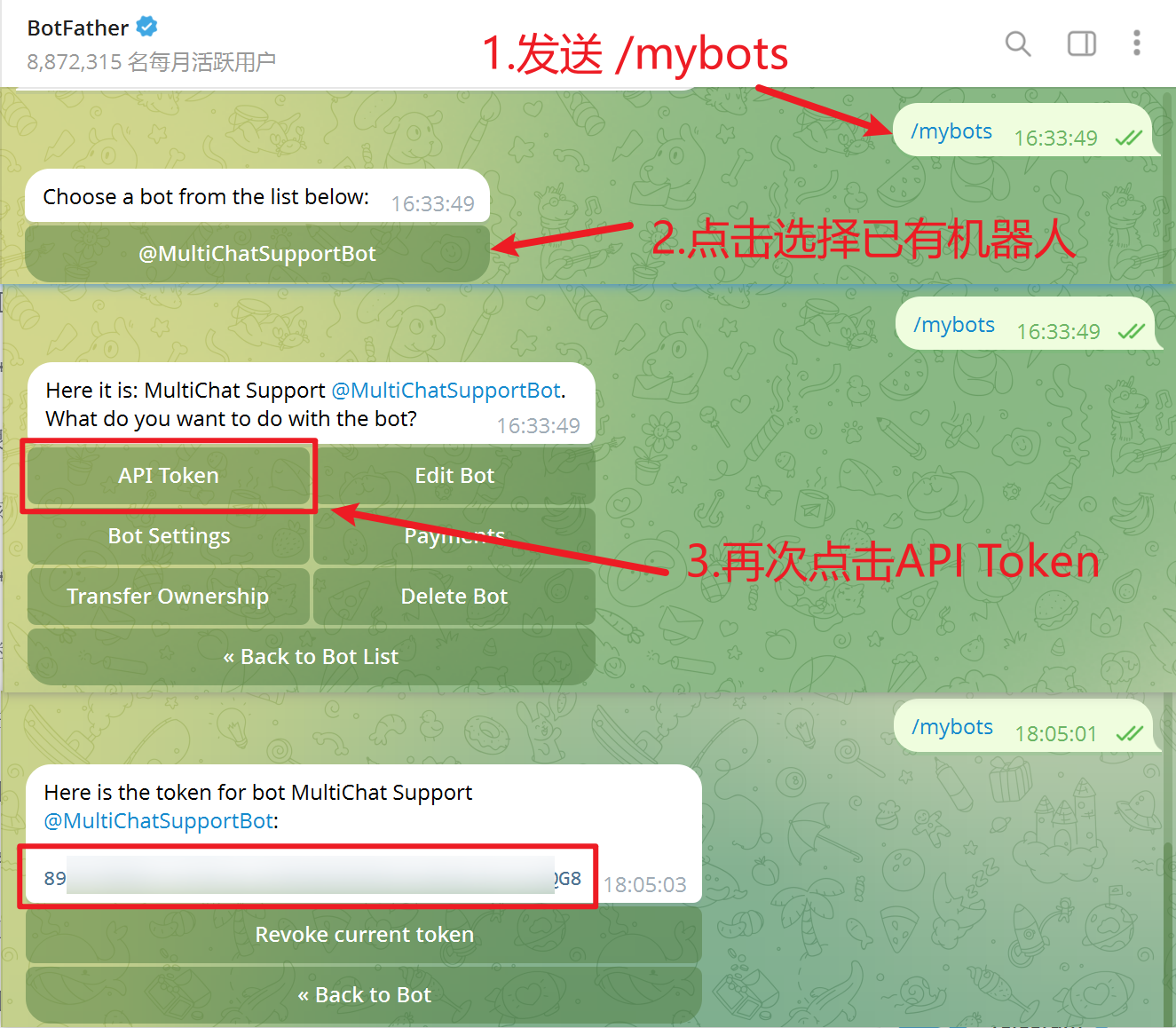
Copy the token and paste it into the corresponding Telegram Bot channel configuration in MultiChat.