
Why Was a Conversation Not Assigned?
Unassigned conversations are usually caused by assignment settings, plugin bindings, or agent availability. Check each item in order.
1. Check automatic assignment
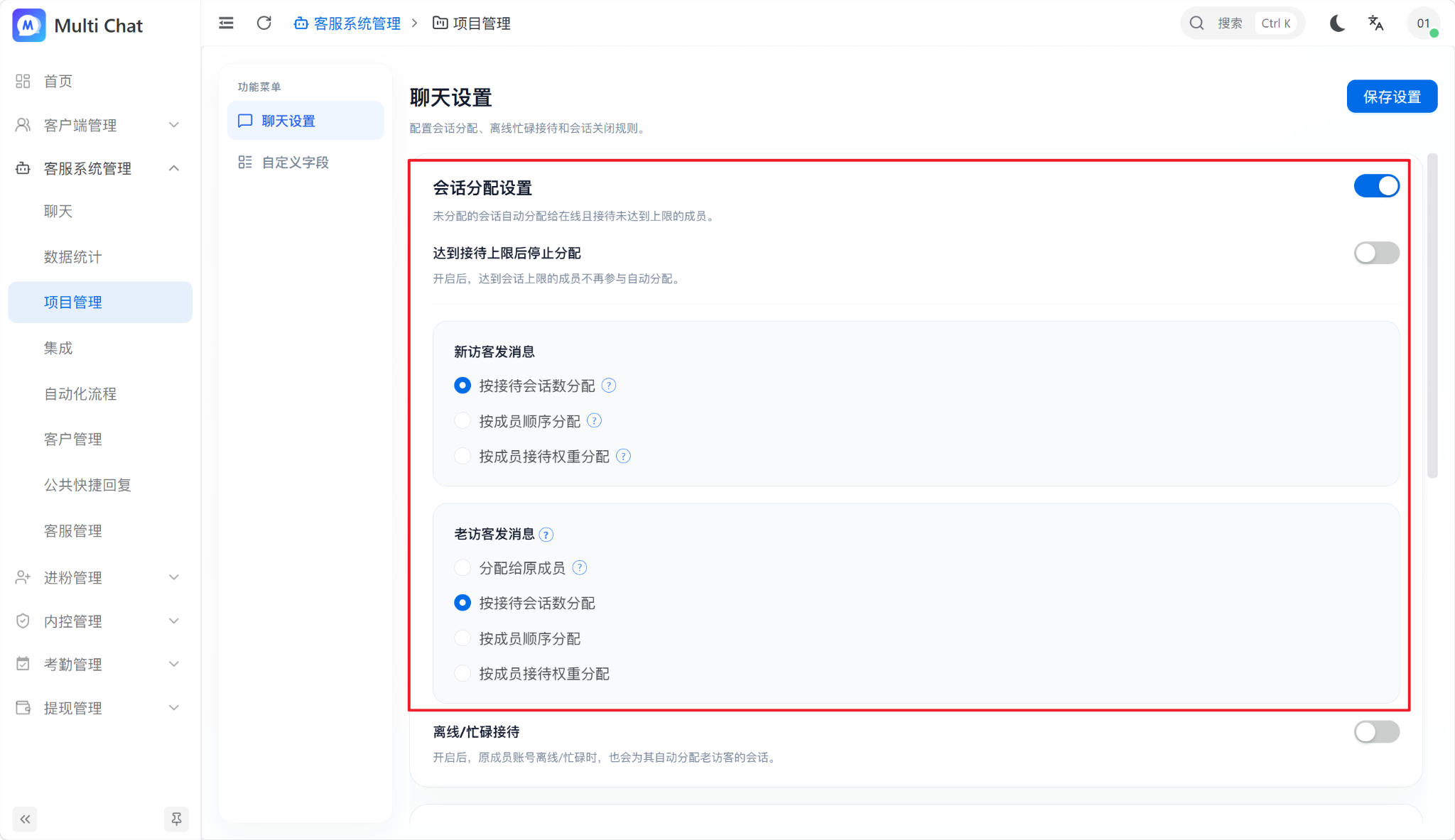
Open “Chat Settings → Conversation Assignment” and confirm that automatic assignment is enabled. When disabled, agents must accept new conversations manually.
2. Check agents bound to the plugin
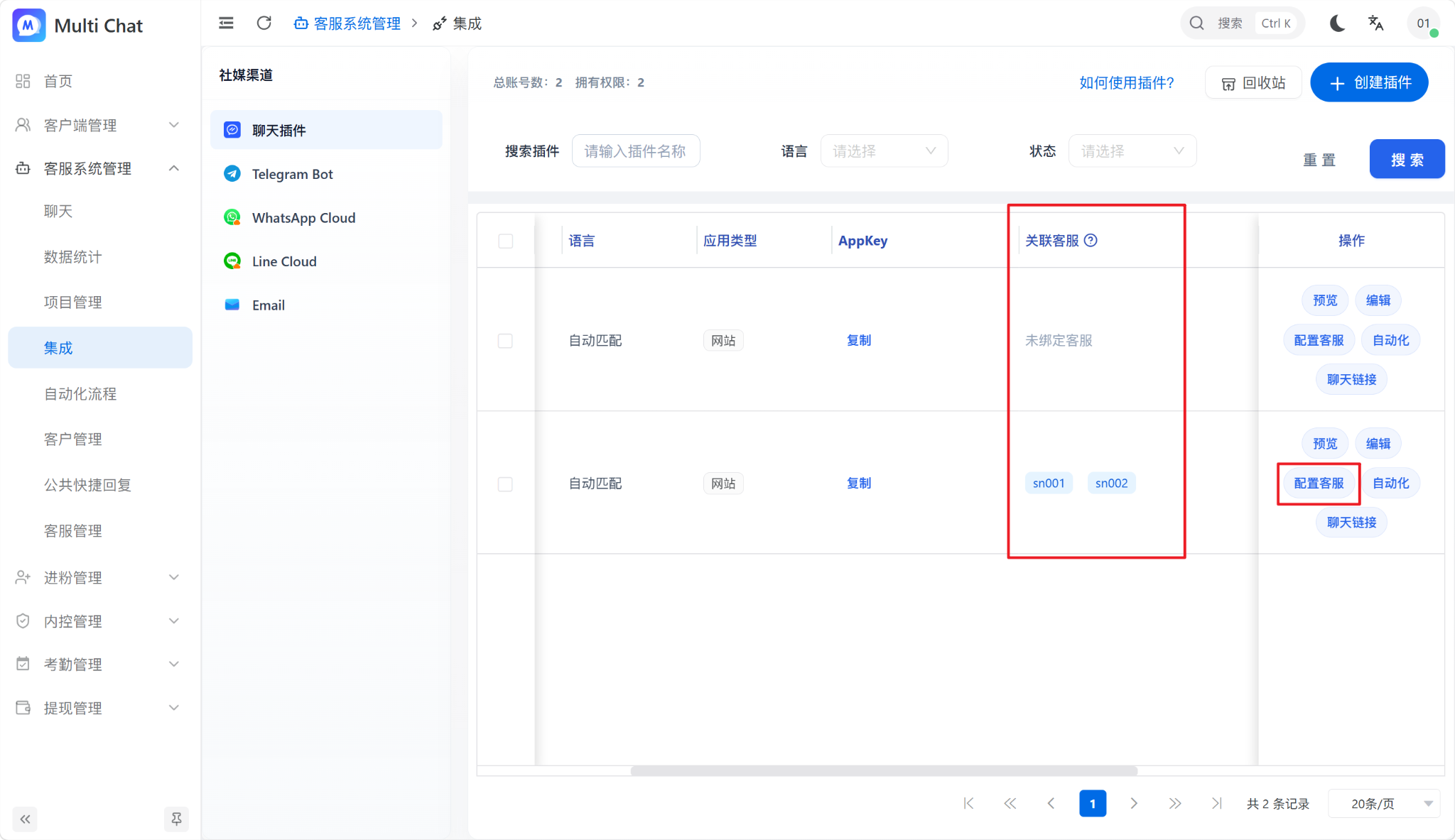
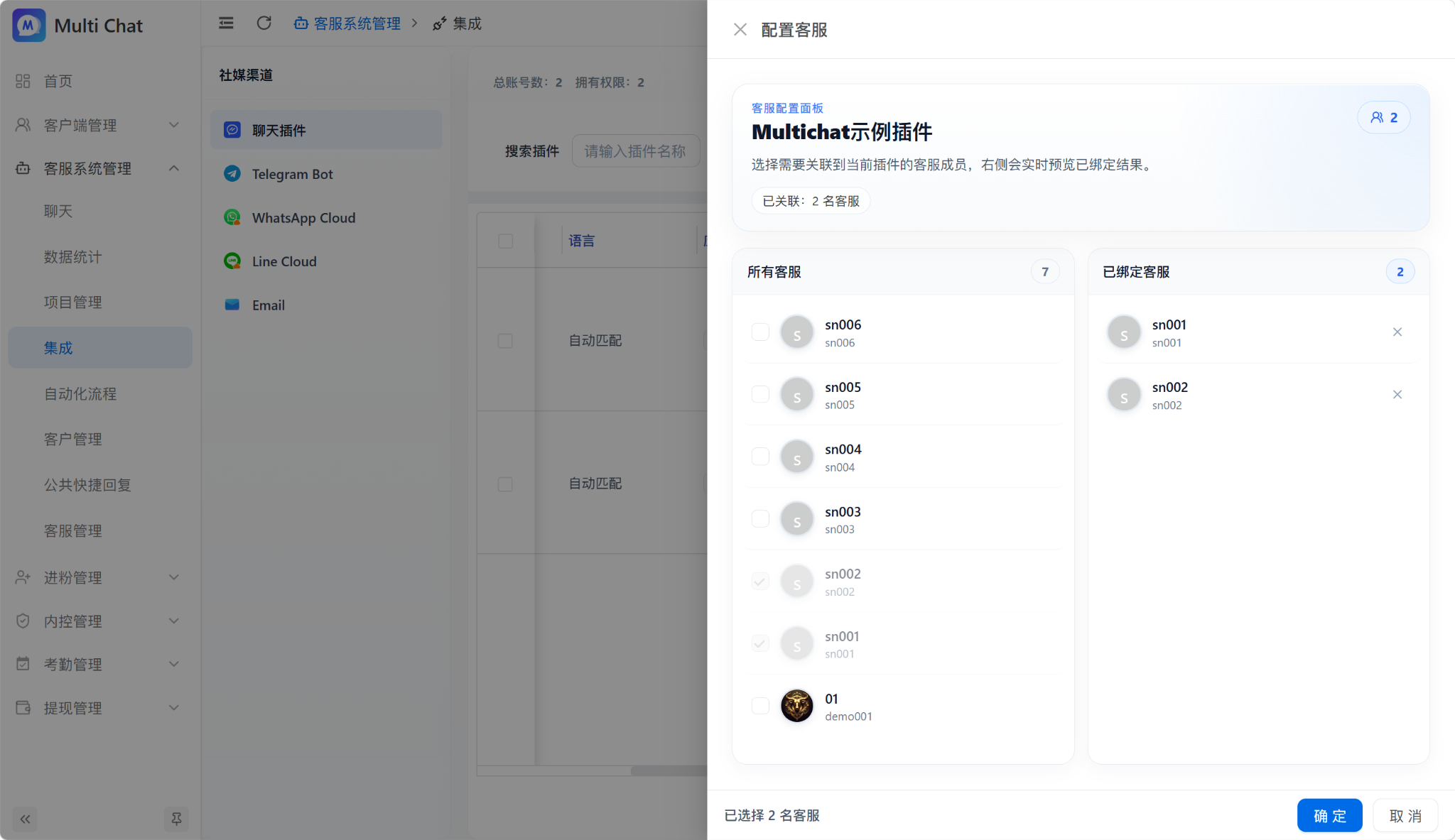
- Without selected agents, MultiChat assigns among eligible online agents.
- After agents are selected, MultiChat assigns only among those eligible agents.
3. Check agent status
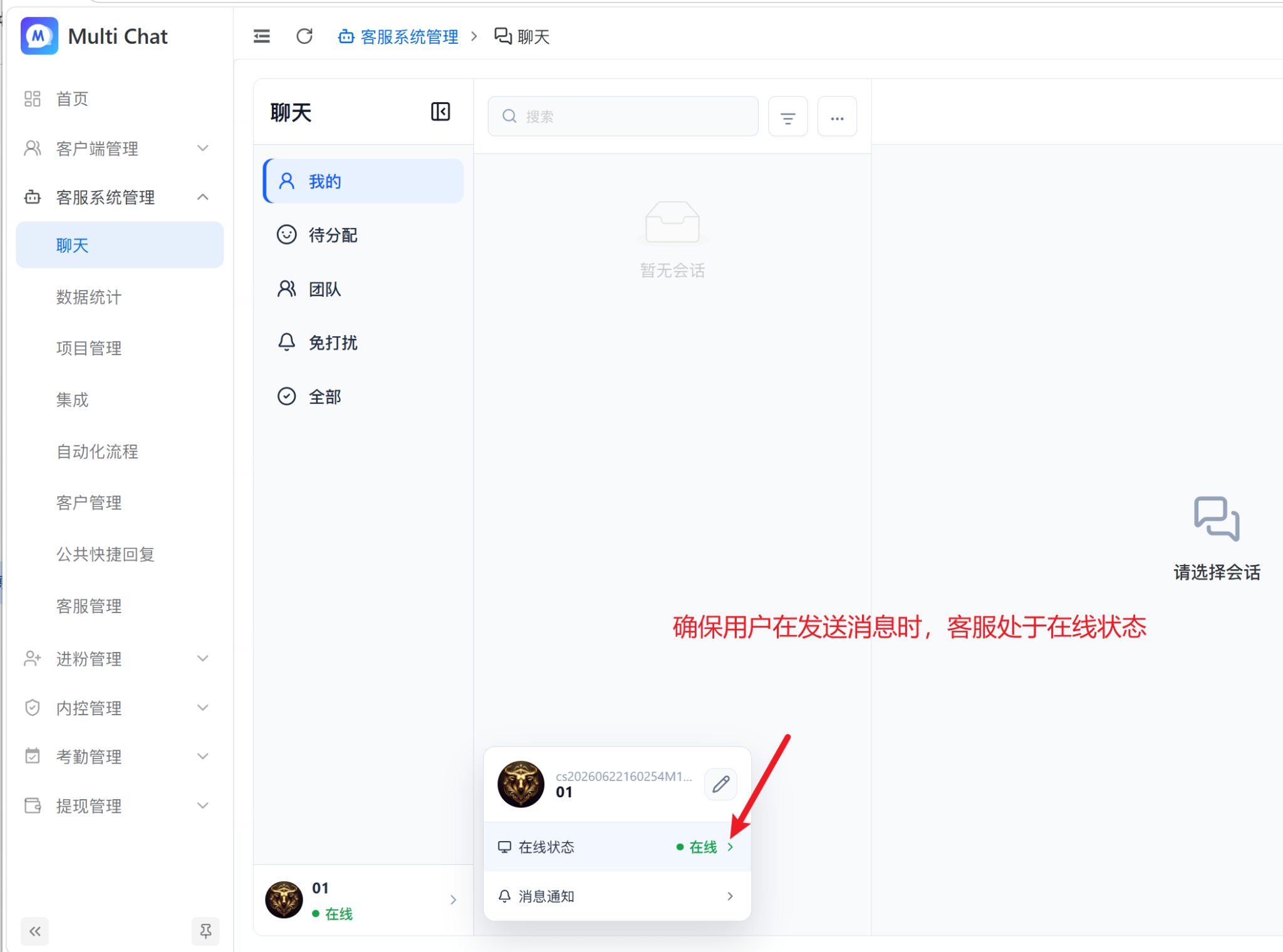
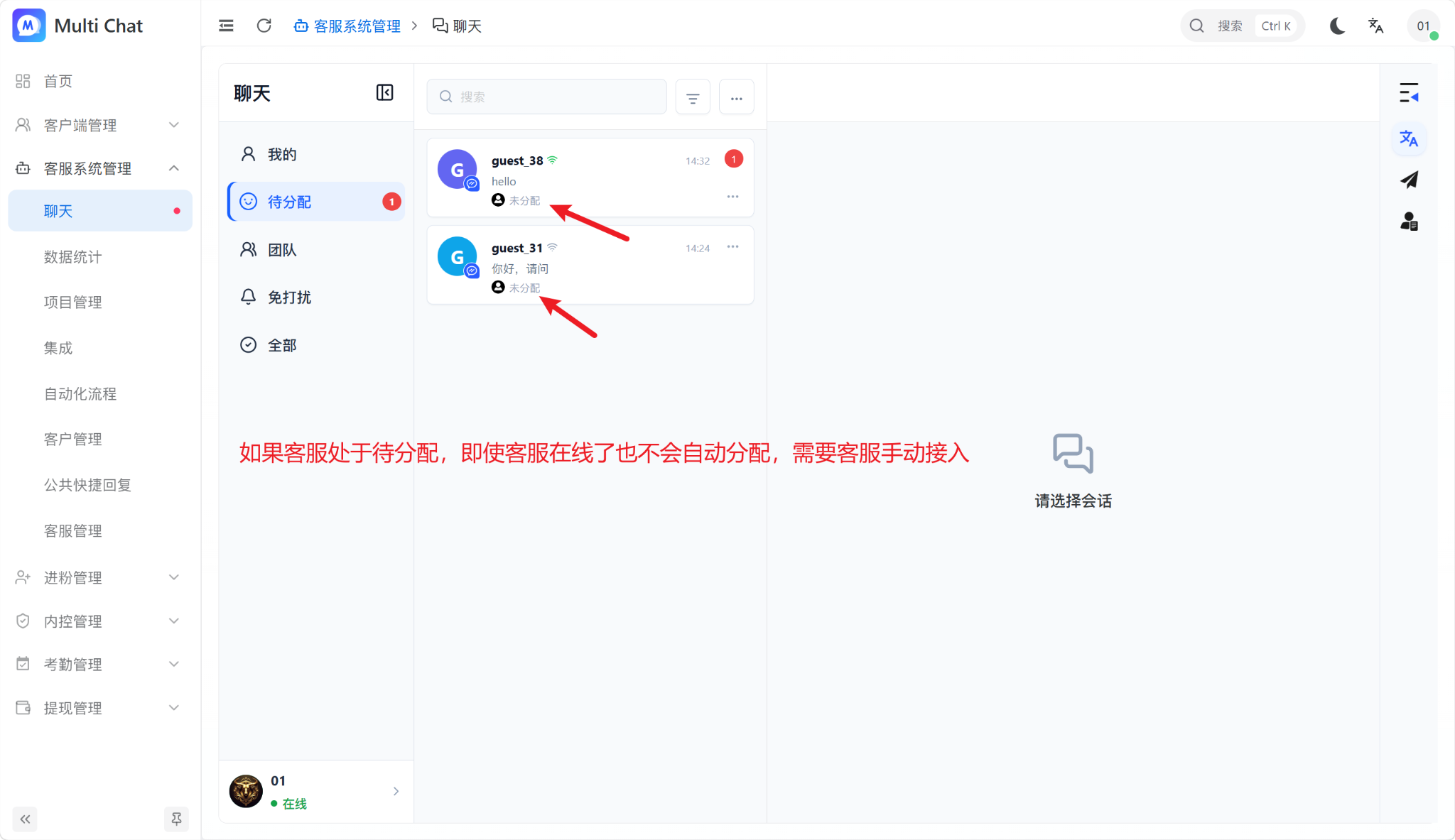
The target agent must be Online when the visitor sends a message. If an agent comes online later, a conversation already marked Unassigned is not automatically reassigned; an agent must accept or otherwise process it.
Before an agent goes offline
If an agent goes offline without ending or transferring active conversations, later customer messages may still return to that agent and will not reach other online agents. Process, transfer, or close open conversations before going offline.