
Use the Chat Workspace
The Chat workspace brings conversations from different channels into one place. Agents can reply, translate messages, manage tags, and review customer details.
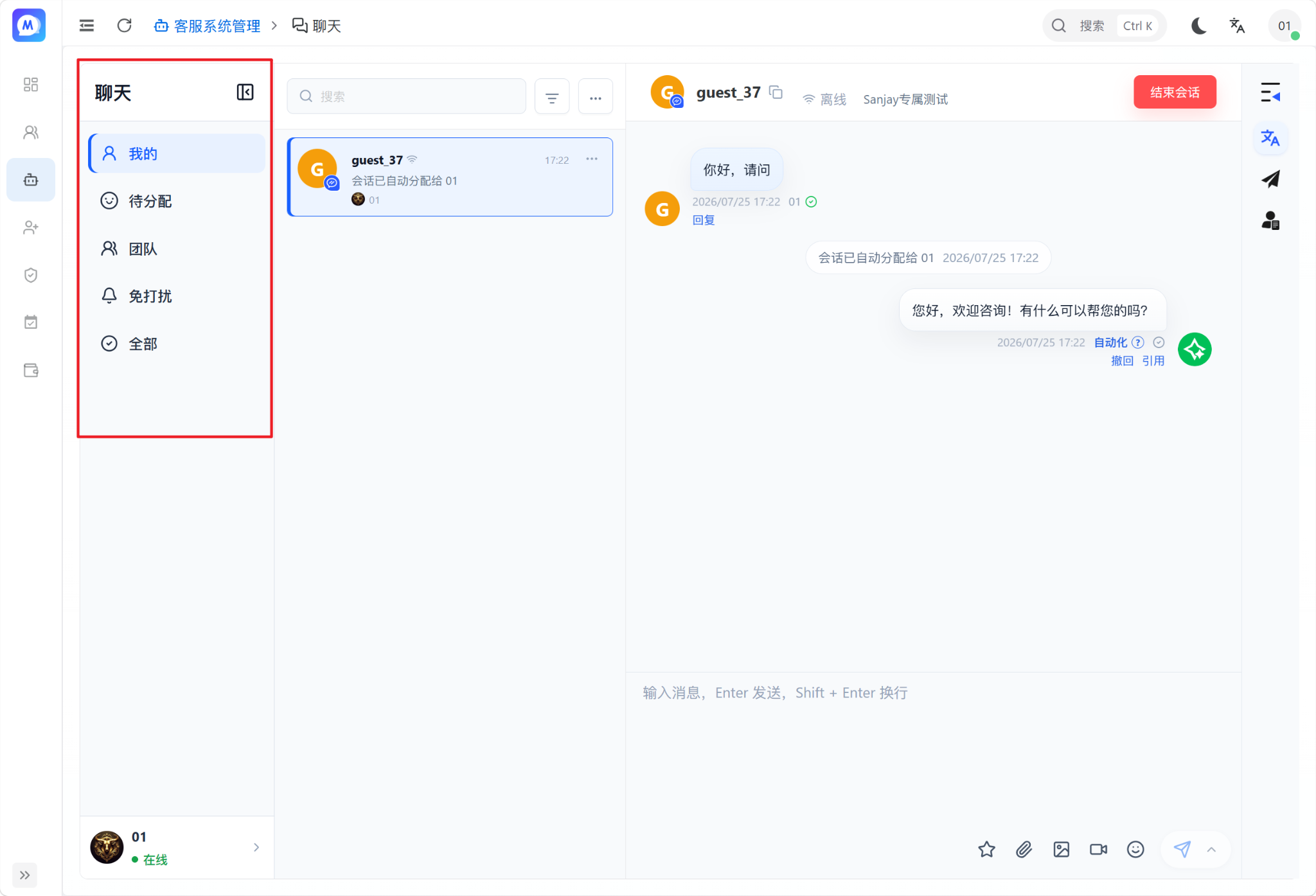
Conversation groups
- Mine: Conversations assigned to the current agent.
- Unassigned: Conversations that do not yet have an agent.
- Team: Conversations handled by other agents.
- Muted: Conversations with notifications muted.
- All: Every conversation the current account is allowed to view.
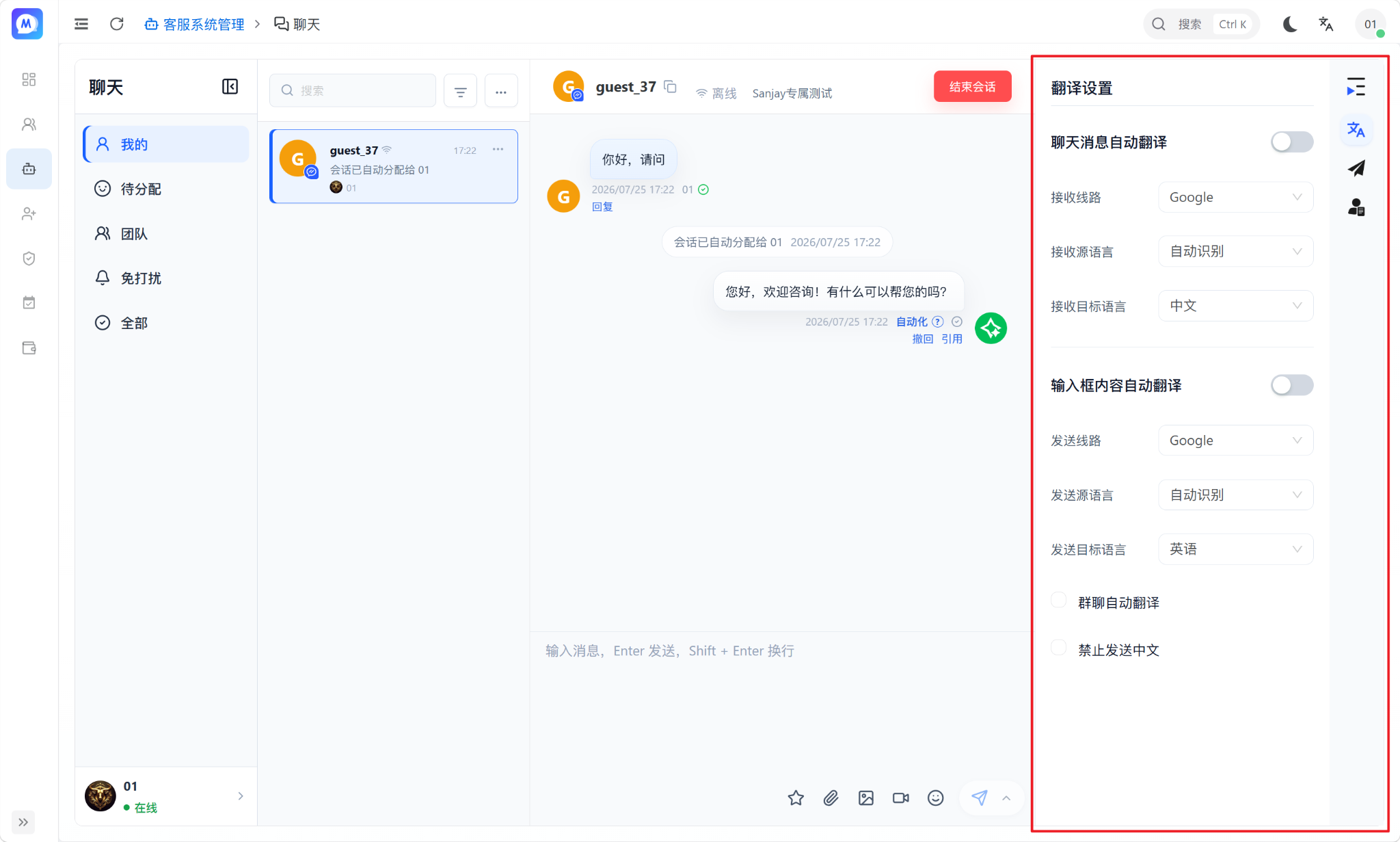
Common tools
- Translation settings: Configure the languages used to translate incoming and outgoing messages.
- Quick replies: Send a saved response with one click.
- Customer profile: Review phone, email, source URL, and other customer details.
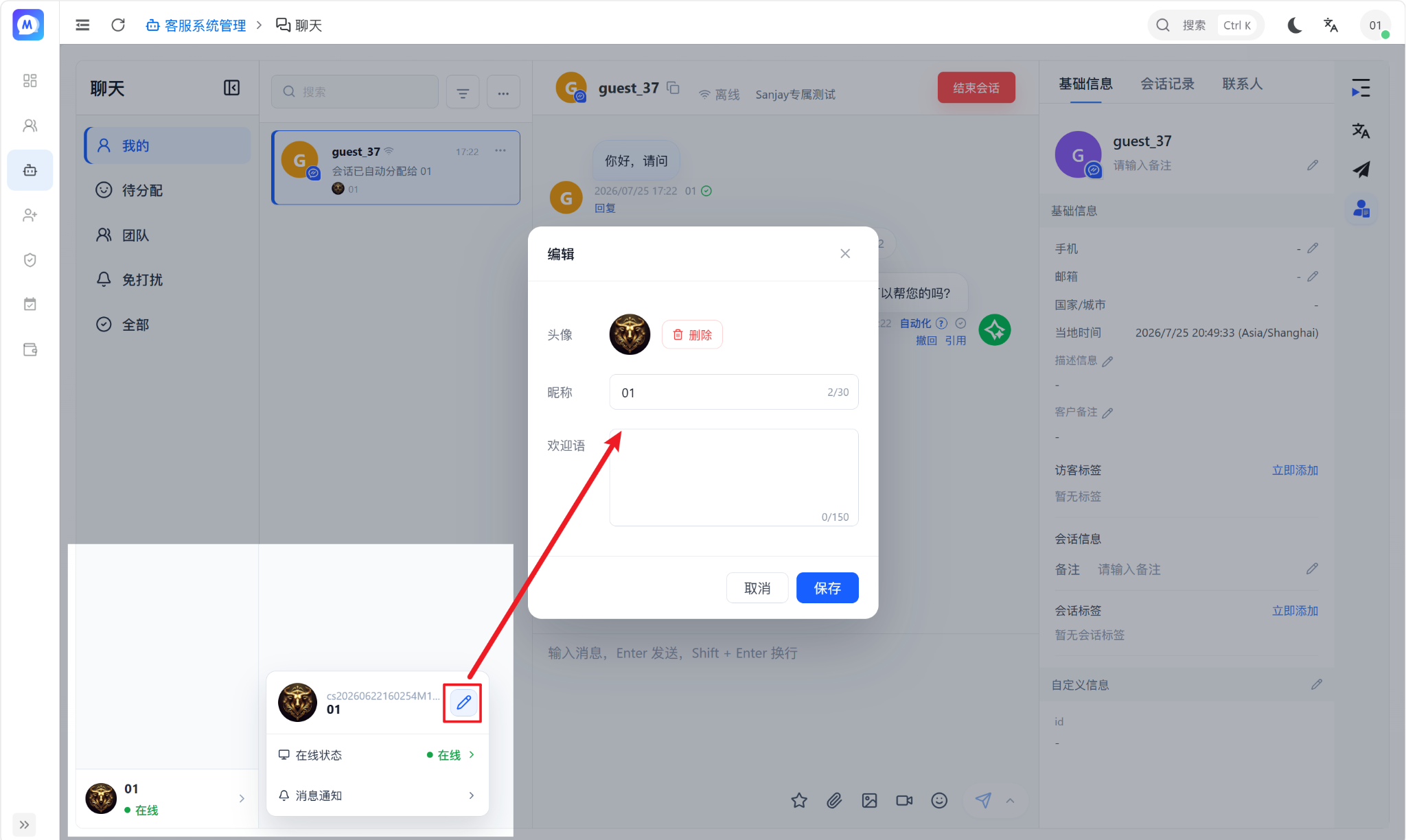
Edit the agent profile
Use the profile control in the lower-left corner to change the agent's avatar, display name, and greeting.
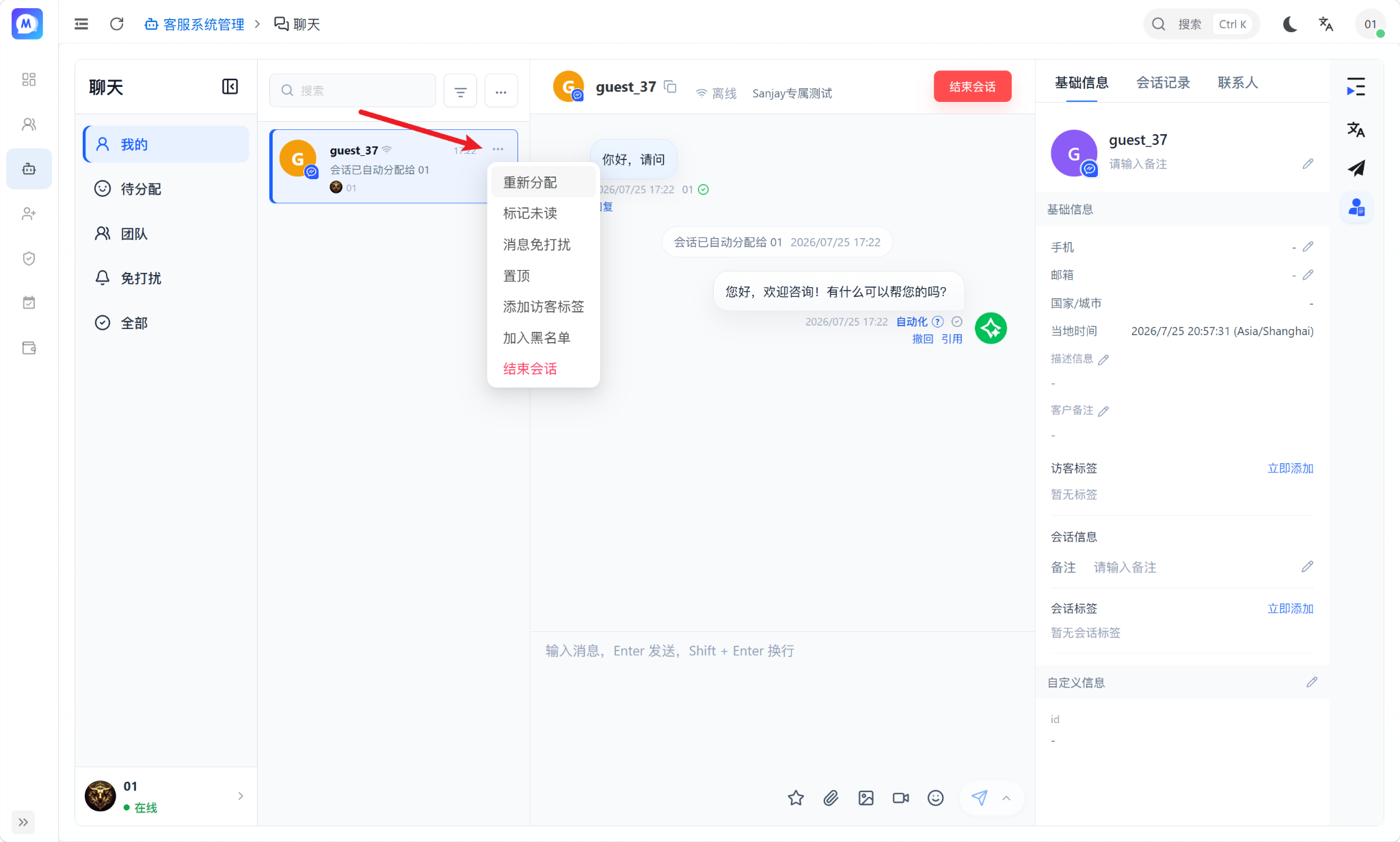
More conversation actions
- Reassign: Transfer the conversation to another agent.
- Mark unread: Return the conversation to the unread state.
- Mute: Stop new-message notifications for this conversation.
- Pin: Keep the conversation at the top of the list.
- Add visitor tags: Classify the customer.
- Add to blocklist: Prevent the visitor from sending more messages.
- End conversation: Close the current support session.
WARNING
Blocking a visitor or ending a conversation directly affects future communication. Confirm the customer and reason before proceeding.